More efficient QA/QC with 360° Reality Capture
In this eBook, we explore how several builders are successfully leveraging 360° reality capture and Field Notes to expedite and improve their quality processes, including punch lists.
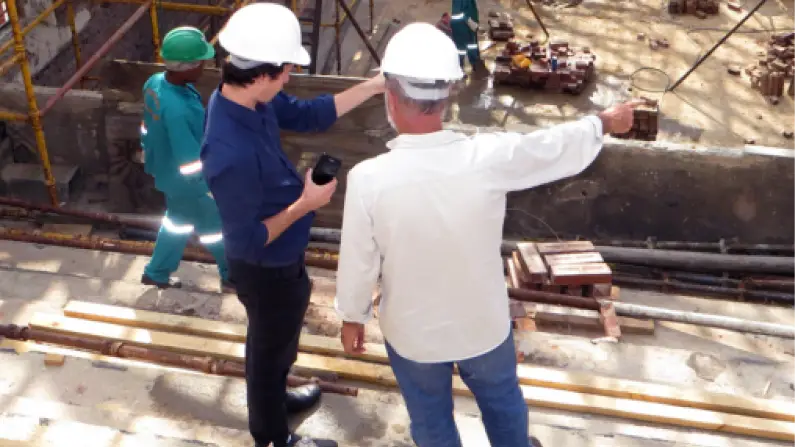
Get the eBookCreating a construction punch list with the OpenSpace Visual Intelligence Platform is fast and easy. As you walk with the owner, architect, and other project consultants, simply start a 360° video capture—from there it’s intuitive and simple to use images and Field Notes to document, report, and get things done. OpenSpace pins your punch items to your floor plan automatically, turning the walk into intelligence you can act on. No need for pen, paper, or Excel.

Hear how Kurt Miller, Sr. and team at Amesbury Companies automate punch lists with Field Notes, complete with images for clear communication.
CEC’s 10-person QA/QC team uses OpenSpace Capture and Field Notes for punch lists and saves time with notes automatically pinned to the project plan.
Learn how OpenSpace helps a leading global quick-serve restaurant maintain quality control and generate punch lists as their portfolio of stores grows.
Construction professionals from around the world and across the industry meet up for our annual customer summit, Waypoint, for exclusive access to the latest product announcements from OpenSpace. The event also includes a customer panel—where power users like Kurt Miller, Sr. share specific examples of how they’re getting the most out of OpenSpace. Listen to a quick snippet here. Or, watch the Waypoint session for Kurt’s full interview, including a demonstration of how Amesbury Companies uses OpenSpace for punch lists.
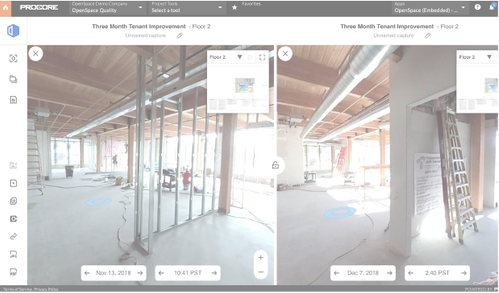
As soon as you’re ready to punch an area of your jobsite, begin an OpenSpace 360° capture. At the end of the walk, you’ll have a complete visual record of everything you saw. Later, pull up your capture and navigate the 360° view to easily find what you need to answer any questions and monitor progress. For example, go back in time to see clear visual references of when a scratch or other damage happened and who was working in the area.

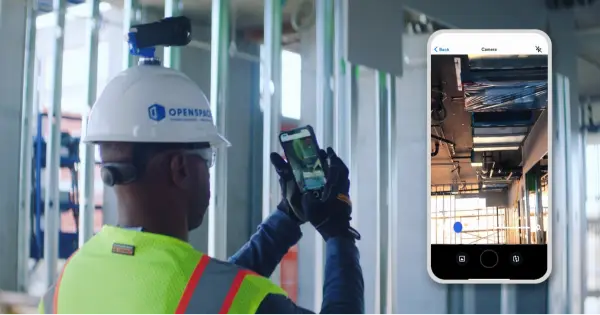
Since you’re creating a 360° video capture during your punch list walk, you can leave the hardcopy drawings in the office. Instead of trying to figure out where you are and scrambling to write corresponding punch numbers on a floor plan, simply take a photo with your mobile device anytime someone calls something out. Tap the Field Notes button in the OpenSpace app, snap a photo, add a description, include a tag, and even handle task assignment right away.. OpenSpace automatically timestamps and pins all your Field Note punch items to the floor plan—that means you can quickly move on to the next item. If you’ve set up Zones on your project, OpenSpace tags each Field Note you create with the name of the Zone they’re in for easy filtering.
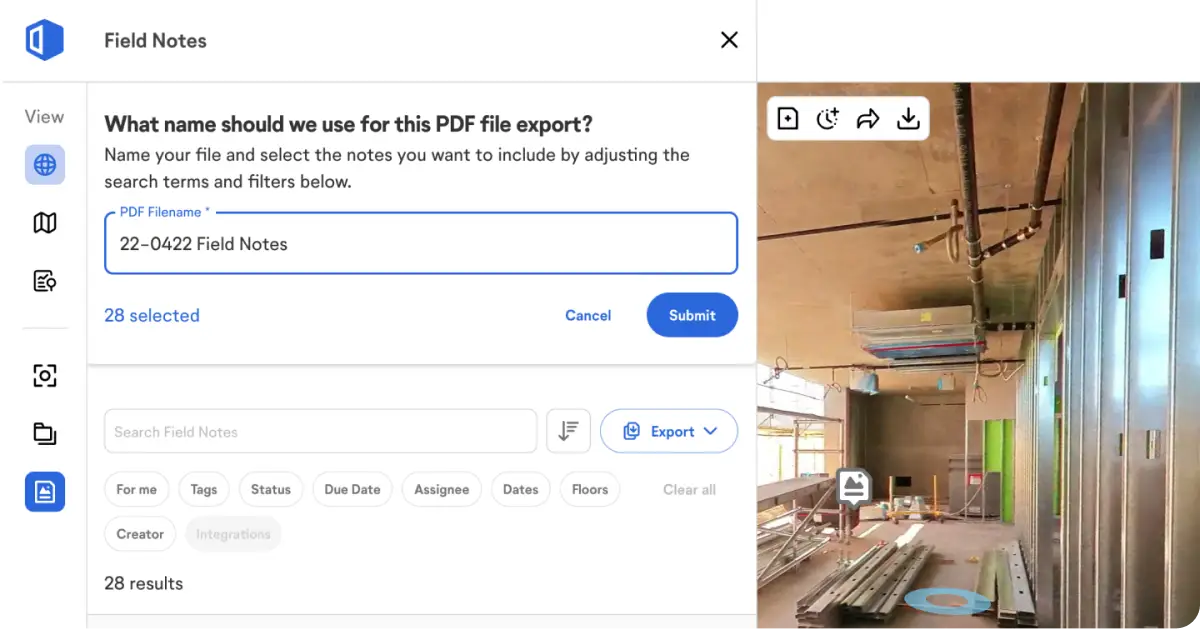
At the end of a punch walk, your process might be: Return to the office, clean up marked drawings, and translate potentially messy handwriting into a spreadsheet. Avoid that tedious work with OpenSpace. Simply tap Export to generate a Field Note PDF report of all your punch items, including comments and images, to share with the appropriate team members. And with Field Notes, you’ll be notified when punch items are taken care of—plus the person who resolved the problem can attach an after-photo to the Field Note. When you’re ready, close out your punch items at the click of a button. If you manage punch items in Procore, Integrated Field Notes sync both ways, so updates made in either system stay aligned.

Digital punch lists remove the manual steps that make paper-based processes time-consuming: no transcribing handwriting, no lost sheets, and no guessing where an item sits on the floor plan. With OpenSpace, every punch item is pinned to its exact location and time-stamped the moment it’s logged, so the record stays accurate and searchable. Digital tools also reduce errors and ensure consistency across a punch process that can involve dozens of people, because everyone works from the same visual record. The result is faster closeout and fewer items that slip through the cracks.
Automation can eliminate many of the manual steps in a construction punch list workflow. With OpenSpace Field, AI Autolocation automatically pins punch items to the right location on your floor plan, while AI Voice Notes makes it faster to log details from the field. As you log each item, you can assign tasks, set due dates, and add other important details. If you manage punch items in Procore or Autodesk, OpenSpace integrations and two-way sync keep updates aligned between systems. You can also export Field Notes to a shareable PDF report, including comments and images. The result is less manual data entry and a faster path from punch walk to closeout.
Construction teams comparing the best punch list app options should prioritize fast capture and accurate location: anyone should be able to log an issue in seconds and pin it to the plan automatically. Look for photo evidence and after-photos to document completed work, custom status and tags to fit your punch list process, and offline functionality so the field can keep working in low-connectivity areas. A strong system also connects to the platforms you already use, syncing punch items with Procore and Autodesk instead of creating another silo. OpenSpace brings these together in one Visual Intelligence Platform, so punch list management is part of the same system that documents the whole construction project.