Data center construction documentation should capture every system before it gets covered: underslab conduit and grounding, overhead power and cooling, data hall fit-out, and electrical rooms, each pinned to a location and a date. Commissioning agents and the operations team rely on that record once concrete is poured and ceilings close. On data centers, each capture window is short and closes on a predictable schedule, so builders who plan around those dates protect both the schedule and the handover.
Why does data center construction documentation have a shorter shelf life?
Data center construction documentation has a shorter shelf life because each trade covers the previous trade’s work within days, and opening it back up is slow and costly.
The data center market keeps expanding as artificial intelligence, cloud platforms, and e-commerce drive demand, and that data center growth compresses schedules to match. AI workloads raise rack densities, which packs more power distribution, chilled water piping, and liquid cooling into the same footprint. With more systems in less space, close-in comes sooner.
On a typical office building, reopening finished work might mean lifting a ceiling tile. On a data center, it can mean taking down containment in a hall that is already energized.
Supply chain pressure makes the window tighter. Uptime Institute research found that operators reported fewer supply chain disruptions in 2025, yet many still faced delays getting critical equipment. Long lead times for switchgear, backup generators, and cooling units push installation later in the schedule, which leaves less time between install and close-in.
“Underslab is where I’ve seen the most regret. On the MEP side, we’d set the grounding grid and conduit, the inspector would sign off, and the pour would happen the next morning. Nobody thinks about that work again until a test fails or someone questions the routing months later. If the super has a walk from before the pour, it’s a short conversation. If not, somebody is pricing a slab core.”
—Wesley DuBose, Product Manager, OpenSpace
Key considerations for data center development
Documentation starts before mobilization, because decisions made in pre-construction set the scope of what builders will need to record later.
Feasibility study: power availability & site selection
During site selection and the feasibility study, power availability often decides whether a new data center moves forward at all. Whether the site sits in one of the primary markets such as Northern Virginia or a newer one, owners weigh the same factors:
- Power availability, grid capacity, and energy costs
- Fiber connectivity to the site
- Environmental impact and permitting
- Room for future growth on the parcel
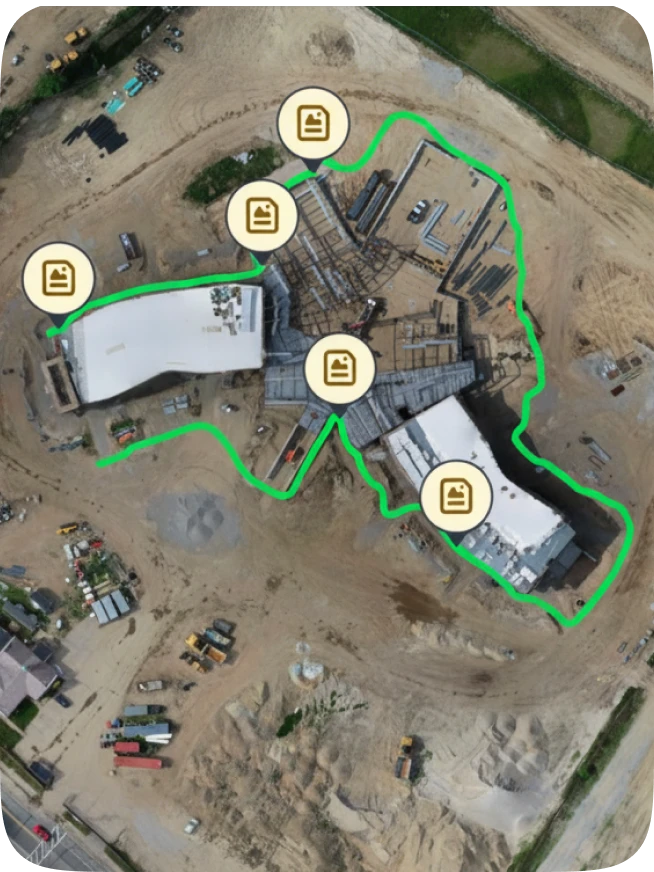
Imagery of existing conditions gives the owner, design team, and GC the same starting point if a dispute later arises. On large footprints, OpenSpace Air turns drone imagery into orthomosaics and supports cut/fill analysis during early earthworks.
Design phase: layout decisions that shape documentation
The spatial layout set during the design phase decides how many halls repeat, where power and cooling corridors run, and how much room is left for future expansion. Facility design planning also shows where systems will stack overhead, which is where capture matters most.
What to capture across data center infrastructure before it gets covered
Every system in a data center goes through the same sequence: install, inspect, cover. The table maps when each window closes and who needs the record later.
| Stage | What gets covered | What to capture | Who needs it later |
| Site work | Duct banks, utilities, grades | Aerial imagery and cut/fill volumes | Owner, civil, GC |
| Underslab and in-slab | Conduit, grounding grid, embeds | 360 walk before each pour | Electrical, commissioning, operations |
| Structure and envelope | Penetrations, firestopping | Walls and roof before close-in | Inspectors, owner |
| Overhead MEP | Busway, cable tray, chilled water, sprinkler | Full walk before containment and ceilings | MEP trades, commissioning agent |
| Data hall fit-out | Raised floor, containment, cooling units | Each hall at every milestone | GC, owner, operations |
| Equipment delivery | Crated gear, nameplates, arrival damage | Receiving walk at delivery | Commissioning, procurement |
| Electrical rooms | Switchgear, UPS, batteries | Install and labeling before energization | Commissioning, operations |
Power, cooling, and security are the core systems that carry the most risk at commissioning.
Power infrastructure: capture before energization
Power systems run from the utility feed to the servers. Along the way sit switchgear, uninterruptible power supply (UPS) systems, backup generators, busway, and the power distribution units at the server racks. Capture each component installed and labeled before energization, since lockout procedures restrict access afterward. If a test fails, the commissioning agent can trace it back to an install condition from that record.
Cooling systems: capture before containment closes
Cooling requirements in AI-ready halls often combine air-side cooling units with liquid cooling and chilled water loops. Capture piping routes, valves, and coolant distribution units before containment and ceilings close. Environmental controls and power usage effectiveness both depend on mechanical systems built as designed, and imagery from install is how a builder finds where they were not.
Physical security & cabling: capture before access tightens
As the facility nears completion, physical security controls go live. Perimeter security, biometric scanners, and room-level access control limit who can enter each space, which makes capture harder. Walk structured cabling, cable management, and fiber pathways before those controls activate. ISO/IEC 22237-2 sets requirements for data center building construction, including physical security and access provision.
How does documentation support commissioning & handover?
Data center construction documentation from the install phase gives the commissioning agent evidence long before the first functional test. JLL outlines the seven stages of data center commissioning, running from design and factory acceptance through integrated systems testing and transition to operations.
The install record supports four of those stages:
| Commissioning stage | How the install record helps |
| Site acceptance testing | Confirms equipment arrived and went in as specified |
| Start-up and pre-functional | Shows labeling, connections, and clearances before power-up |
| Integrated systems testing | Shortens the search for the root cause when a test fails |
| Transition to operations | Shows the operations team what sits behind finished walls and ceilings |
OpenSpace BIM+ compares site reality against the design model, so the builder can fix deviations before close-in.
“When integrated systems testing fails, the room fills up fast. The commissioning agent, the electrical sub, the controls contractor, and the owner’s rep all show up with a different theory. Without an install record, every theory means opening something up. With one, the super pulls up the walk from the week that gear went in and checks labeling and terminations before anybody grabs a ladder. That tends to narrow the search to one system and one trade.”
—Wesley DuBose, Product Manager, OpenSpace
How to document repeated data halls in a modular data center design
Modular designs repeat the same data hall several times across a building or campus, and that repetition works in the builder’s favor. The first completed hall becomes the visual reference, captured at each milestone: slab, overhead MEP, containment, and rack rows.
Each later hall gets captured at the same milestones and compared side by side. With Split View in OpenSpace Capture, project managers can line up Hall 2 against Hall 1 at the same stage. A rerouted cable tray or a shifted cooling unit shows up before the change repeats across the campus. Zones keep each hall organized, so comparisons stay quick.
See how OpenSpace documents data center projects from site work to handover. Request a demo.
What do owners need from documentation across data centers?
Owners need independent proof of work in place before releasing payment, plus a consistent way to compare progress across buildings. Owners and hyperscalers often run several GCs across one campus, so they cannot rely on each GC’s own reporting. Colocation data centers add another layer, since tenants plan their own move-ins around the delivery date.
OpenSpace has been used on more than 1,000 data center projects worldwide, with builders including Suffolk and Sweet Projects. On a data center in Longcross, U.K., Andrew Moss, Project Director at Sweet Projects, described the result as “a clear, tamper-proof record of what was happening on-site at every stage.”
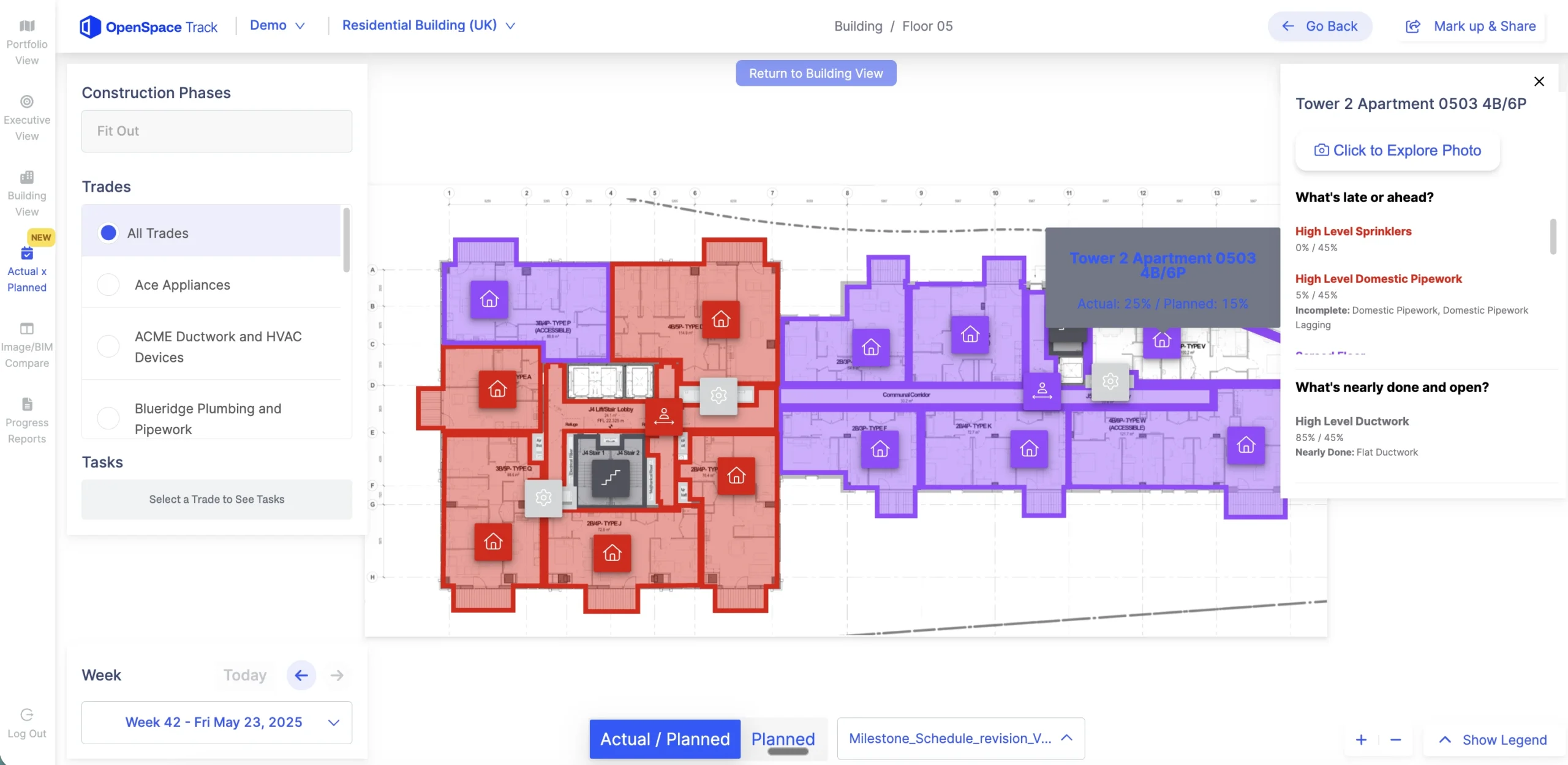
For schedule accountability, construction progress tracking with OpenSpace Track compares planned versus actual progress, with AI-powered tracking and humans in the loop. Progress reports arrive 24 to 48 hours after capture, and BIM is not required.
How often should a data center site be captured?
A data center site should be captured every week, plus event-triggered walks before work gets covered. The weekly walk tracks progress against the schedule. The event-triggered walks save the evidence the next trade is about to bury, so schedule them before:
- Every slab pour
- Each wall close-in
- Containment and ceiling installation in each hall
- Energization of electrical rooms
- Security controls going live
Capturing 25,000 sq ft takes about 10 minutes with OpenSpace Track, which keeps that cadence realistic. For more on building a reporting rhythm, see this guide to construction progress monitoring. Superintendents who spot an issue during a walk can log it in OpenSpace Field, where AI Voice Notes and AI Autolocation pin the observation to the plan and sync it to Procore or Autodesk Construction Cloud.
“The walk teams skip most is the one right before containment goes up in each hall. The schedule is tight, the hall looks close to done, and a capture feels like it can wait a week. Once containment and ceilings are in, the overhead routing in that hall is out of view for the life of the building. My time in commercial real estate taught me that owners trust what they can see, and a pre-containment walk is the last chance to show them every hall the same way.”
—Michaela Rhile, Product Manager, OpenSpace
Frequently asked questions
Can 360 photo documentation replace laser scanning on a data center?
The two work best together. 360 capture gives frequent, wide coverage at walking speed, while laser scans provide survey-grade measurement where tolerances are tight. OpenSpace BIM+ supports point clouds, so both can sit alongside the design model.
Who should own documentation when several GCs work on one campus?
The owner should set the capture standard, including cadence and milestones. Each GC then captures against that standard, so progress stays comparable across buildings. A shared standard also makes payment verification and handover simpler.
How should site imagery be stored & shared on a secure data center project?
Site imagery should follow a storage and sharing policy that the GC agrees with the owner’s security team before mobilization. That policy should set who can view and export images and how long they are kept after handover. OpenSpace publishes its security and compliance posture, including SOC 2 Type 2, through its trust center.
See every system before it disappears
On a data center, the problems that surface at commissioning and handover tend to sit behind finished walls, ceilings, and containment. Data center construction documentation built around close-in dates gives owners and operators a record of those systems they can check. As the Visual Intelligence Platform for builders, OpenSpace turns that record into insight for better decisions, faster.
Planning your next data center project? Contact OpenSpace to see how GCs and owners capture work in place from groundbreaking through commissioning.