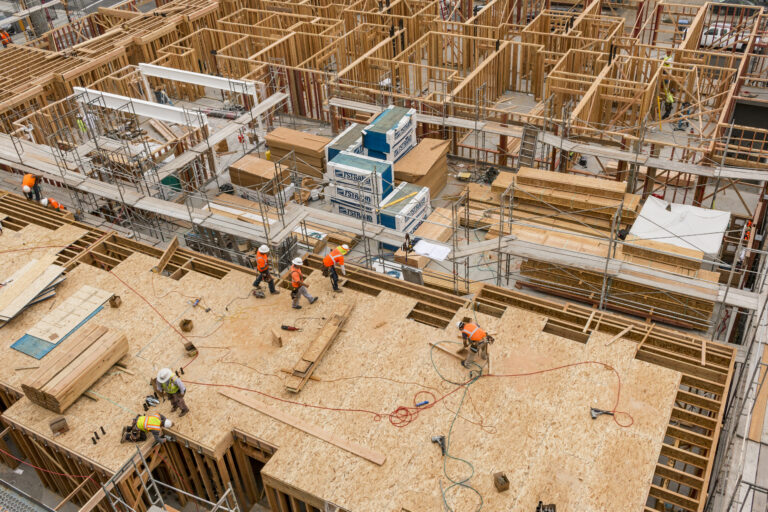
Comparing as-built vs. as-planned progress means measuring verified, installed work against the baseline schedule by trade, floor, and zone, often enough to act before a gap reaches the critical path.
On most construction projects, that comparison happens in the monthly schedule update, where percent complete is often self-reported, or in forensic delay analysis after the delay events are over. Teams that stay ahead check a weekly as-built record against the as-planned schedule while they can still change the outcome.
What is the difference between as-built & as-planned?
As-planned is the schedule a project intends to follow, and as-built is the record of what actually happened. The as-planned schedule is the approved schedule, with its activities, logical sequencing, and project completion date.
The as-built schedule records the actual start and finish dates of each activity, and the actual sequence crews followed, which together set the overall project duration. Side by side, the two show every planned vs. as-built gap and the week it opened.
The three layers of as-built vs. as-planned on every construction project
Most teams compare two schedules, but a third record sits between them.
| As-planned | As-reported | As-built | |
| What it shows | Intended sequence, durations, and completion date | Percent complete entered at each schedule update | Work verified as installed on site |
| Who produces it | Scheduler, with trade input | Superintendents, trades, and project engineers | Site records, captures, and inspections |
| How often it changes | Only through approved revisions | Each update cycle, often monthly | As often as the site is documented |
| Strength as evidence | Strong record of intent | Depends on who reports it | Strong when timestamped and located |
A lot of reviews labeled “as-built” compare the first column to the second. The schedule should be tracking the third.
The as-built method: where as-built delay analysis comes from in construction law
The as-built method grew up in construction law and dispute resolution, where analysts need to explain a critical delay after it happened. AACE International Recommended Practice No. 29R-03, Forensic Schedule Analysis, classifies planned versus as-built comparison as an observational method, in a gross form and a periodic form (MIP 3.1 and 3.2). It is one of several delay analysis approaches:
| Method | What it compares | What it needs |
| As-planned vs. as-built | Baseline schedule against what actually happened | A sound baseline and as-built records |
| Impacted as-planned analysis | Baseline schedule with delay events inserted | A sound baseline and defined delay events |
| Collapsed as-built | As-built schedule with delay events removed | Detailed as-built records and logic |
| Windows analysis | Schedule performance period by period, a form of dynamic analysis | Regular schedule updates across the project |
In the UK, the SCL Delay and Disruption Protocol puts heavy weight on keeping the planned programme updated and keeping contemporaneous site records, so the as-built programme can later be measured against the baseline programme.
There is no single preferred method. Analysts weigh different methods and pick one method based on contract requirements and the records available.
The as-planned vs. as-built comparison is the simplest to explain, but it struggles when the critical path shifts mid-project or when concurrent delays overlap. Both problems get worse when the as-built record is thin, because every retrospective method needs the actual date each piece of work happened. When as-built records are missing, experts rebuild the job from daily logs and email threads. Each gap adds commercial exposure when delay damages are in dispute.
Where does the as-built schedule drift from the plan?
The as-built schedule usually drifts from the as-planned schedule in four places:
- Percent complete gets rounded. A wall that looks about 70% done goes into the update as 70%, whether or not the right components are in place.
- Partial installs get logged as complete. Framing goes up while insulation or inspections lag behind, and the activity still reads finished.
- Crews work out of sequence. One zone races ahead, so the actual sequence breaks from the planned sequence even when the totals look fine.
- Activities are too broad. One activity in a critical path method schedule can cover hundreds of components across a floor, which hides the room where actual progress stalled.
None of these looks like a critical delay in the week it starts. The problem shows up later, when critical path shifts appear in an update, and nobody can say when the slip began.
“The gap usually opens in the middle of the job, on scopes where one schedule activity hides a lot of separate steps. Drywall is the classic example. A room can have track, studs, insulation, and board all in different states, and the update still shows one percent complete. That number might be close. It just doesn’t tell you which step is missing, and the missing step is what holds up the next trade. Working summers on my family’s jobsites, I learned pretty fast that percent complete often depends on who’s reporting it.”
—Michaela Rhile, Product Manager, OpenSpace
How do you compare actual performance against the as-planned schedule?
You compare actual performance against the as-planned schedule in six steps, repeated on a fixed cadence:
- Lock the baseline schedule. Confirm the approved schedule, its data date, and a clear critical path. The GAO Schedule Assessment Guide treats a well-built schedule as the basis for measuring performance against an approved plan.
- Map schedule activities to locations and components. Tie each activity to the floors, zones, and building elements it covers so progress can be measured where the work happens.
- Set a capture cadence. A weekly capture of the full site is frequent enough to catch drift between monthly updates.
- Verify completed work at the component level. Check what is installed against timestamped images, then record it against the matching activity.
- Compare by trade, floor, and zone. Check slow trades or zones against remaining float and the completion date.
- Act on the variance. Carry what you find into lookaheads, manpower plans, schedule updates, and pay applications.
Step 4 is where most processes break down. Site engineers rarely have time to walk every room and count components, so the check gets skipped and as-reported numbers stand in for the as-built record.
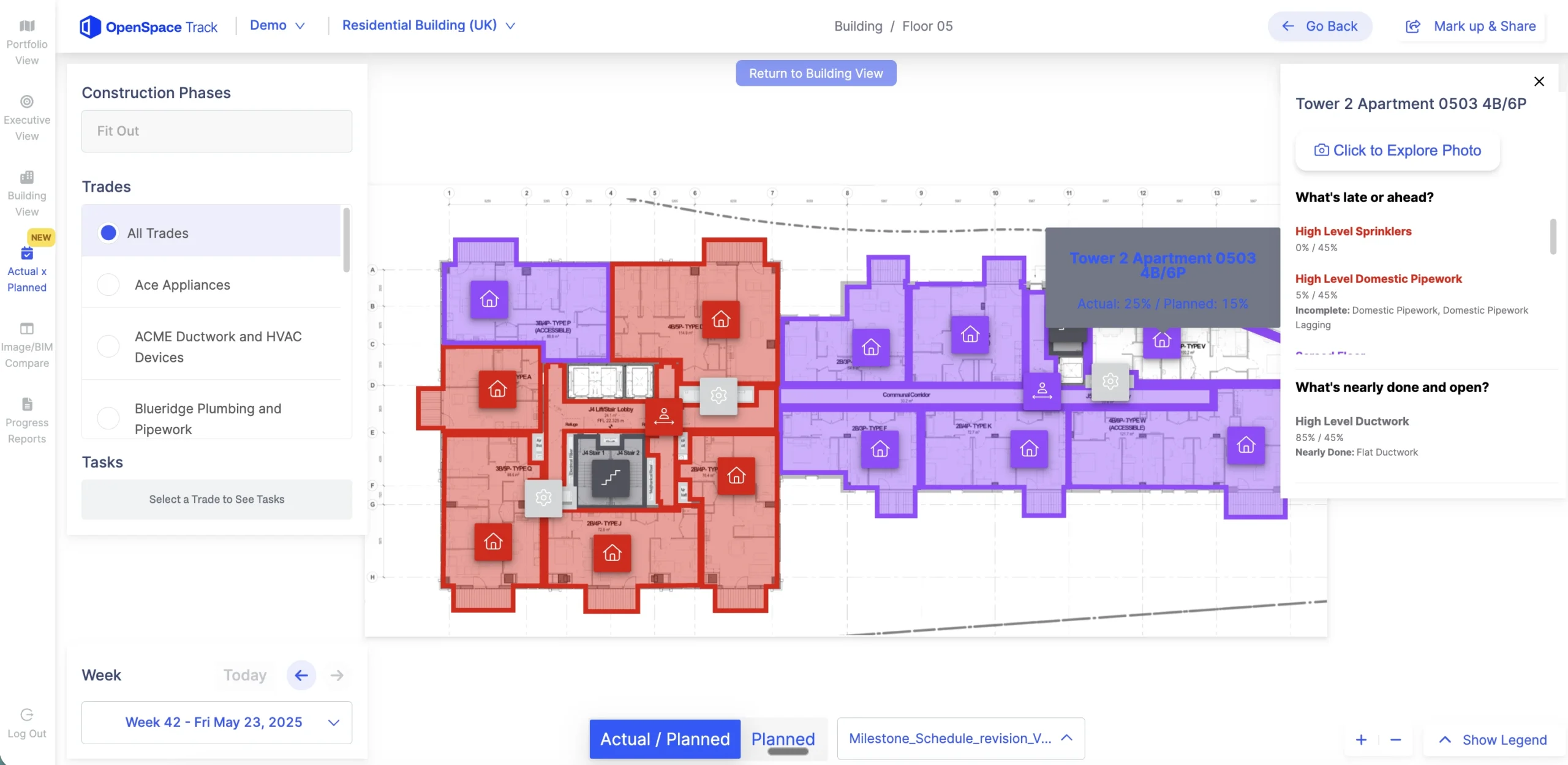
See how OpenSpace Track compares verified progress against your schedule. Request a demo.
Which variances in the as-built sequence deserve action first?
Variances on or near the critical path deserve action first, followed by out-of-sequence work that will block the next trade. A non-critical activity that slips a week can usually wait, while a critical one threatens overall completion right away.
| Variance signal | What it usually means | First response |
| Critical activity behind plan | Direct threat to the project completion date | Recover with manpower or resequencing now |
| Out-of-sequence install | Downstream trades may hit rework or blocked areas | Confirm handoffs before the next trade mobilizes |
| One zone stalled while others advance | Access, material, or coordination problem | Walk the zone with the trade foreman |
| Non-critical activity behind plan | Float is being used up | Track it weekly before it turns critical |
| Trade pace below plan across floors | Crew size or productivity gap | Compare planned and actual manpower |
Sorting variances this way surfaces problems while a detailed analysis is still cheap to run.
“Before you touch the schedule or the crew size, check whether the trade is behind or just out of order. A trade that looks slow in one zone has often moved ahead somewhere else because the first area wasn’t ready for them. If you add people before you know that, you’re paying a bigger crew to wait on a predecessor. So look at what’s blocking the zone first, whether that’s the trade ahead of them, a delivery, or an inspection. The schedule change comes after you know the cause.”
—Michaela Rhile, Product Manager, OpenSpace
What verified progress looks like across the construction industry
Suffolk: tracking trade commitments against the plan
Suffolk piloted automated progress tracking on the Estates at Acqualina, two 827,000-square-foot towers in Sunny Isles Beach, Florida, starting with drywall. The team compared daily captures against plans to calculate installed work and tracked each trade partner’s Planned Percent Complete against weekly commitments, adding manpower when a trade fell behind. Javier Contreras, Project Engineer at Suffolk, said the platform “lets you speak to facts instead of opinions.”
Valley Interior Systems: room-by-room proof for a trade contractor
Trade contractors get the same benefit from the other side of the table. Valley Interior Systems documented every completed room with timestamped Field Notes during weekly foreman walks. The results:
- Weekly Field Reports went to the general contractor, and the GC cited Valley’s documentation in jobsite meetings.
- The Senior PM tracked progress remotely and saved half a day of travel and site time each week.
“The meeting stops being a debate about the number and becomes a conversation about what to do next. When the GC, the trades, and the owner’s rep are all looking at verified progress, nobody spends the first 20 minutes defending a percent complete. Before OpenSpace, I worked in commercial real estate, and pay applications were where that tension always surfaced. An owner who can see installed work has fewer reasons to hold up a pay app, and the GC walks in with a plan instead of an argument.”
—Michaela Rhile, Product Manager, OpenSpace
From after-the-fact as-built analysis to a weekly as-built record
Teams that keep a weekly as-built record do as-built analysis every week instead of once at closeout. The images that flag a slipping trade in week 12 are the same site records a scheduler, owner, or expert will want if a delay claim lands in month 18. Whatever delay analysis method gets used later, the delay narrative is already in the record. Success depends on what the project captured at the time.
How OpenSpace Track builds the as-built record
OpenSpace Track is construction progress tracking software built for that weekly loop. Teams capture the site with a 360° camera, and AI and expert human reviewers verify installed work:
- Progress reports typically arrive within 24 to 48 hours of a capture.
- OpenSpace Track follows more than 700 visual components across more than 200 schedule tasks.
- It integrates with P6, Asta Powerproject, Microsoft Project, and Excel, and shows planned vs. actual progress by phase, trade, or space.
- Executive View gives leadership a quick read on project health and pacing without adding another reporting cycle.
OpenSpace Track runs on the OpenSpace Visual Intelligence Platform, so the same weekly captures also feed documentation and BIM workflows on the job.
Build your as-built record while you build. Request an OpenSpace demo.
Frequently asked questions
Is an as-built schedule the same as as-built drawings?
No. An as-built schedule records when work happened, including actual start and finish dates, while as-built drawings record where and how it was installed. Both depend on accurate site records, and contract requirements often call for both at closeout.
Who should own the as-built vs. as-planned comparison on a project?
The project scheduler or project controls lead should own the comparison, while superintendents and trade foremen own the accuracy of progress inputs. That split keeps the analysis consistent and keeps verification close to the work.
Can you compare as-built progress to the schedule without a BIM model?
Yes. OpenSpace Track compares verified progress against the schedule using 360° captures mapped to floor plans, and BIM integration is optional. Teams with a model can also compare site conditions against the BIM model with OpenSpace BIM+.