
Quality control failures don’t announce themselves. They show up in re-work, disputes and late punch lists. Often, after the window to catch them has closed. OpenSpace gives QA/QC teams the visibility to spot issues early, document them clearly and resolve them before they compound. Quality control inspections are a perfect use case for taking advantage of OpenSpace to stay organized, reduce manual work, and speed up issue resolution.
How does OpenSpace simplify QA/QC inspections?
As you go through your checklist on a QA/QC inspection, OpenSpace can help you automate tasks and make it simple to communicate and resolve issues. When you’re ready to run through a quality control checklist, start a 360° capture. As you walk, you’re also creating backup documentation—a full visual record of everything you saw on the walk (and even things you may not have seen) to reference later.
How does OpenSpace Field help track and resolve QA/QC issues?
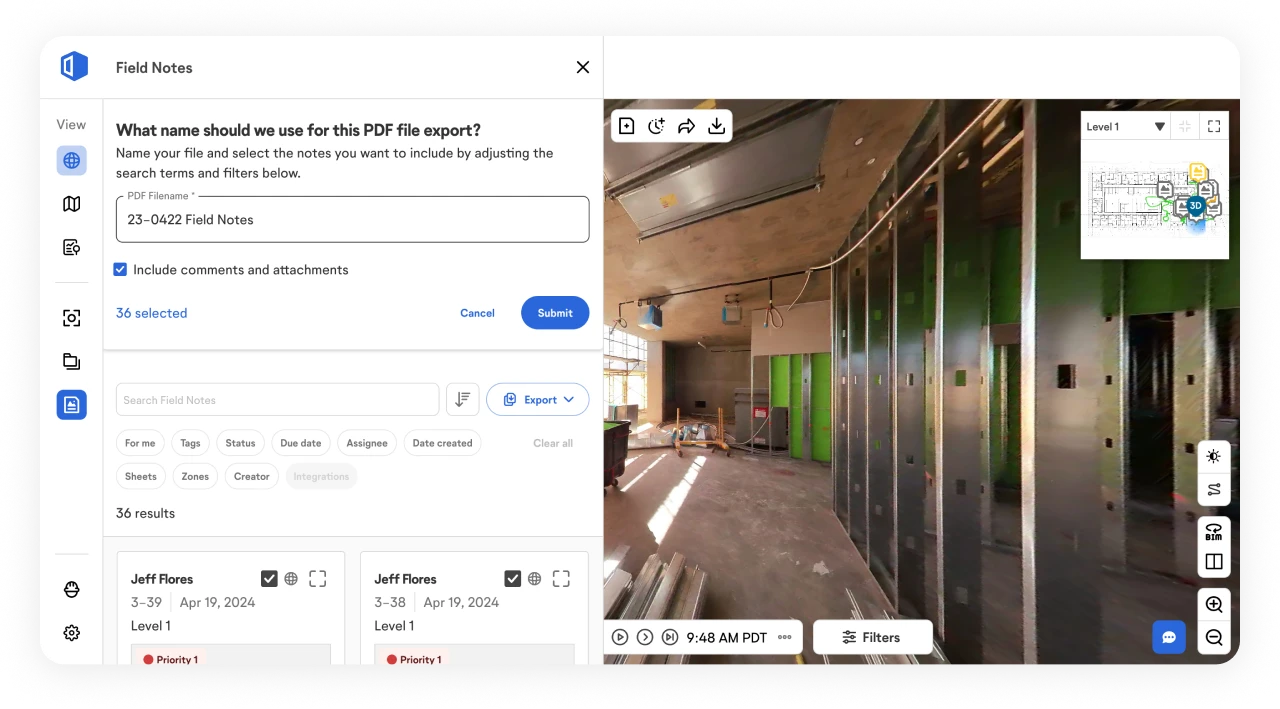
The Field Notes feature in OpenSpace Field eliminates unreliable paper, pencil, and email methods for flagging and resolving corrections. As you’re going through your checklist and need to document an issue or failed item, create a Field Note right then and there in the OpenSpace mobile app on your phone or tablet.
With Field Notes you’re able to describe the issue fully, avoiding ambiguity and confusion, and get the job rolling:
- Add all the details you need: marked-up photos, comments, descriptive tags, status, and more
- Assign Field Notes to the person responsible and easily keep everyone informed by updating the note as work progresses
- Find the Field Notes you need with ease—OpenSpace automatically timestamps Field Notes you take during a 360° capture and pins them to your floor plans, and your notes are tagged by the Zone(s) they’re in (Zones you’ve already defined)
- Run a detailed PDF report of the Field Notes you want and share it out with the team
How can you run virtual QA/QC inspections with OpenSpace?
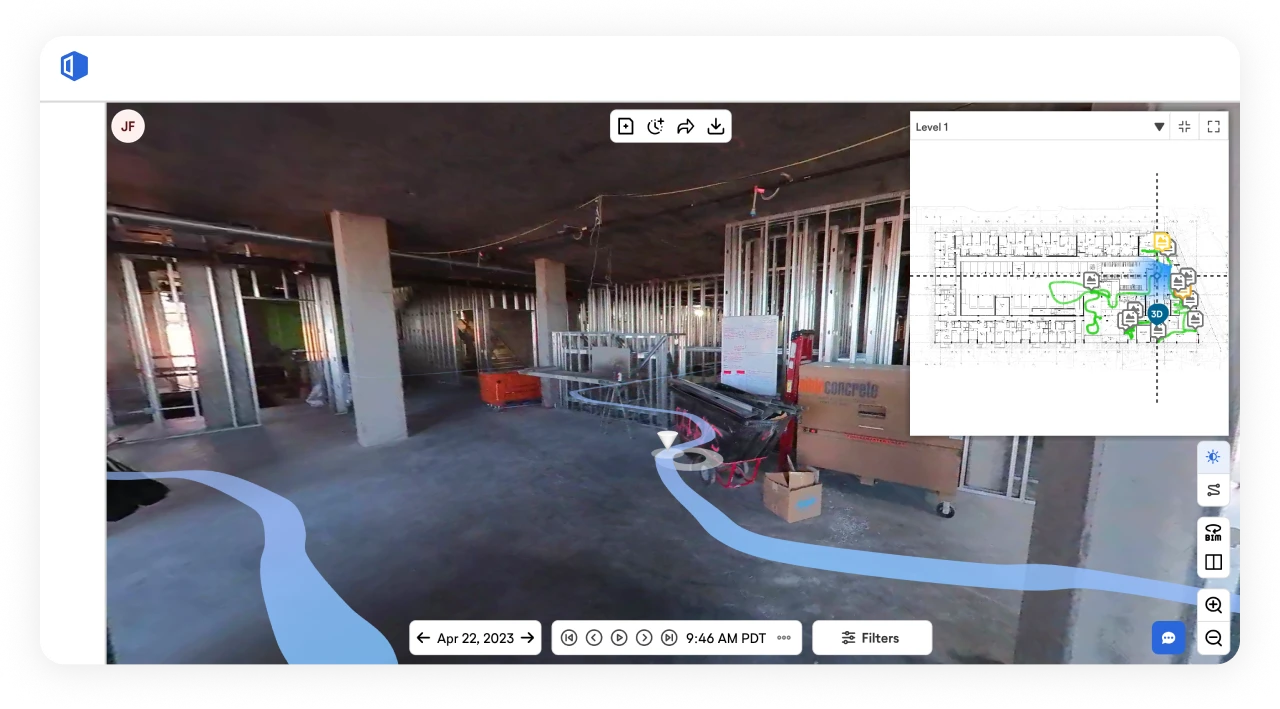
Documenting your job on a regular cadence with OpenSpace means you can access your site anytime, anywhere and conduct a virtual QA/QC walk. If you aren’t on-site, simply open the 360° capture of the area you’re inspecting in OpenSpace and navigate the project, stopping to create Field Notes to call out any items that need to be addressed.
Approaching QC inspections this way keeps the documentation consistent across superintendents, so the next foreman to walk the floor picks up exactly where the last one left off.
How does BIM Compare support quality control inspections?
The BIM Compare feature in OpenSpace BIM+ is ideal for doing a quick visual inspection to determine if all items are installed and that they’re in the right spot. Pull up your model side-by-side with your 360° capture for easy comparison.
You can use the BIM Element Overlay feature in OpenSpace BIM+ to improve your quality control: Choose items from the model, such as a sewer line, and overlay them onto the image of your on-site condition to inspect further.
Jobsite inspections move faster with that overlay in hand, since the inspector is checking placement against the model instead of guessing at what was coordinated.
From the start, we saw OpenSpace as a great QA/QC tool because of the ability to compare specific areas of the site on different dates and the BIM integration.
Brian Garcea, Principal, RG Construction
FAQs
What are the basic steps of quality control in construction projects?
Quality control in construction typically follows four steps: define the quality standards and specifications for the project, inspect work against those standards at key points, document any issues or deviations, and track corrections until each item passes a final review.
What is the difference between quality control and quality assurance in construction?
Quality assurance is the broader process of setting standards, procedures, and plans to prevent defects before work begins. Quality control is the on-site process of inspecting and verifying that work meets those standards during and after construction.
Who is responsible for quality control on a construction project?
Quality control is typically shared across the general contractor’s QA/QC manager, project superintendents, trade foremen, and in some cases third-party inspectors. The general contractor usually owns overall quality accountability, while each trade is responsible for the quality of its own scope.
What are common challenges with traditional quality control processes in construction?
Common challenges include paper-based checklists that get lost or delayed, unclear issue descriptions that slow resolution, miscommunication between field teams and office staff, missed items that surface later as rework, and difficulty tracking which issues have actually been closed out.
OpenSpace addresses each of these directly: AI auto-location and AI voice notes replace paper-based logging with issue captures in seconds.Two-way sync with Procore and ACC eliminates miscommunication between field and office. A complete visual record means nothing gets missed or disputed.
Learn More
Check out our QA/QC use case page for more information on how you can put visual documentation and easy, clear communication to work, simplifying your QA/QC checklist workflows. The same Field Notes that flag failed QC items can feed your punch list items directly, so nothing caught during an inspection gets lost on the way to closeout.
If you’re interested in a live demo to see the many use cases for OpenSpace, schedule here.