Here’s a primer on how manual construction progress photography is currently used to help GCs, owners, and trades chart the progress of projects—and how AI-powered automated progress tracking is significantly accelerating the pace of construction and improving transparency and communication.
Whether a team relies on manual methods or automated tools, the fundamentals of construction progress monitoring are the same: capture the site, compare it to the plan, and get the findings to whoever needs to act.
What is progress tracking?
Progress tracking in construction is the process of recording and measuring how work advances over time—using visual documentation, site insights, and performance metrics—so general contractors, owners, and project teams always know where a project stands against the schedule and budget.
For GCs, that means staying on schedule, monitoring team productivity, and keeping costs from drifting. For owners, it means a clear view into project progress that can accelerate unit sales and support work-in-progress evidence for loan draws. For trades, it means faster payment because completed work is documented and verifiable.
Progress tracking typically starts with construction progress photography; someone walking the site regularly and capturing each space to build a record of work over time.
What is the process for construction progress photography?
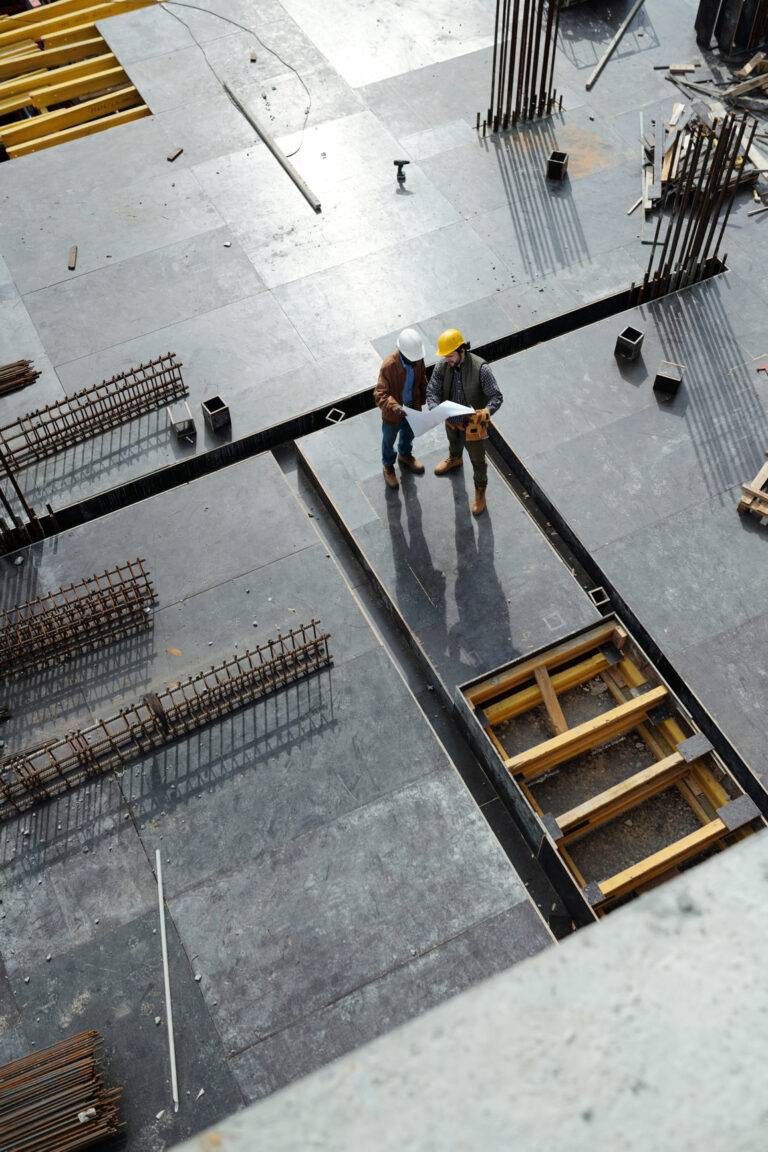
Today, many teams still track construction progress with manual photography. An engineer, armed with an 11×17 inch clipboard and the floor plan, walks the site, photographs each area, and uses a highlighter to note the approximate percent of work completed by each subcontractor after performing the calculations in their heads based on what they can see. They enter those updates into spreadsheets and scheduling tools later, sometimes days later, by which point conditions have already changed and the numbers are already behind.
This approach works until it doesn’t. And on a complex project, it rarely works for long.
What is the difference between automated progress tracking & manual construction progress photography?
Manual progress photography captures a moment. Automated progress tracking captures the full picture.
With manual methods, a project engineer or field engineer takes one or two photos of each space per walk—enough to note something was visited, not enough to measure progress accurately. Percent complete estimates get calculated in the field, entered into a spreadsheet later, and by the time they reach the schedule, conditions have already moved on.
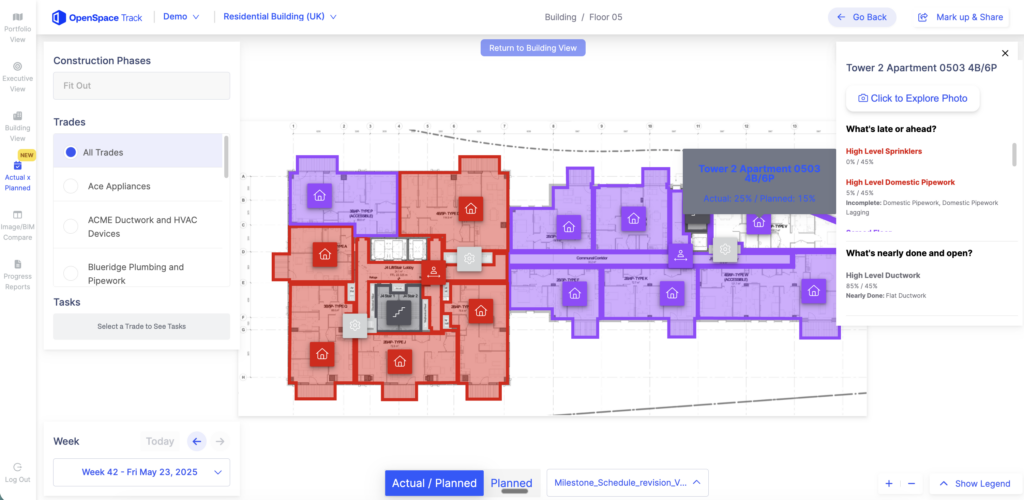
Automated progress tracking uses 360° photo documentation and AI to do that work faster and more accurately. And in the case of OpenSpace, an added human verification layer that results in 95% accuracy. Every room gets captured from multiple angles on a walk, giving machine learning algorithms the complete view they need to calculate percent complete, planned vs. actual insights, rates of work, and estimated completion dates across every critical trade on the project.
The difference shows up in the schedule and in the budget. Manual tracking invites errors. When the progress record isn’t reliable, scheduling slips, subcontractor payments get disputed, and the ripple effects compound across every trade downstream.
This is where construction progress tracking software earns its place, replacing days-old field estimates with a verified record that reaches the schedule while the information still matters.
That gap is the heart of AI vs. manual progress verification, where an automated reading can be reproduced from the imagery while a rushed clipboard estimate depends on the accuracy of the person who recorded it.
Why does manual construction progress photography lead to scheduling issues?
On a large, complex project, scheduling software like Primavera P6 can contain more than 10,000 individual line items. Superintendents are usually responsible for keeping those updated. Project engineers note percent complete during site walks, sometimes on an iPad, often on paper, and those estimates eventually make it into the schedule. The bigger and more complex the project, the more opportunities there are for something to get missed or miscalculated.
When the schedule is built on estimates that are days old and manually entered, sequencing breaks down. A subcontractor shows up ready to install conduit and finds out the framing isn’t done yet. They came, they’re on the clock, and the budget takes the hit whether the work happened or not.
That’s the real cost of unreliable progress tracking: inaccurate reports, work that can’t happen, costs that weren’t planned for, and a budget that no longer matches what’s actually been built. The challenges of progress tracking on construction sites run deeper than most teams realize until they’re already in the middle of one.
How does automated progress tracking help with payment verification?
Payment disputes in construction rarely start with bad intent. They start with a progress record no one can verify.
The problem with manual progress tracking
Under a typical subcontractor agreement, GCs pay trades monthly based on percent complete. In practice, manual tracking creates a gap between payments and actual work:
|
What should happen |
What typically happens |
|
Payments track directly with completion |
Payments outpace actual work |
|
50% fee paid at 50% complete |
100% fee paid on 80% complete work |
|
Each trade’s progress independently verified |
Each trade self-reports in their own spreadsheet |
|
PM confirms numbers before owner submission |
Numbers passed through without verification |
The problem compounds across trades. Drywall, electrical, plumbing, each reporting their own way, with no single reliable record to check against.
What automated progress tracking changes
Automated progress tracking changes that dynamic entirely. GCs stop being in the position of forwarding whatever their subs report and start being the ones who can actually back up what they approve.
With a complete, regularly updated visual record of the jobsite, GCs can:
- Compare what a trade reports as installed against what’s physically there.
- Catch and reconcile discrepancies before they reach the owner.
- Verify payment applications across every trade without relying on self-reported numbers.
- Protect themselves from overpaying on incomplete work.
How does automated progress tracking increase efficiency?
Automated progress tracking removes the manual documentation burden from every level of the project team. Here’s what changes for each stakeholder:
|
Stakeholder |
Before |
After |
|
Project engineer |
Hours spent walking the site with clipboard and highlighter |
Time freed up for higher-value tasks |
|
Project manager |
Half their time on payment application verification |
Progress checked from a desk, no chasing required |
|
Superintendent |
Schedule accuracy dependent on self-reported updates |
Confident, verified view of actual completion |
|
Project executive |
Reliant on filtered updates from the on-site team |
Direct access to real conditions, anytime |
|
Owner |
Limited visibility between formal reporting cycles |
Drop-in visibility across the project at any point |
The downstream impact goes beyond individual time savings. When progress data is consistent and verifiable, teams can validate exactly how a delay developed and when, replacing unproductive finger-pointing with a clear factual record.
Done right, automated progress tracking is the difference between profitable, on-time delivery and the kind of delays and cost overruns that eat into margins and damage client relationships.
The same visibility keeps those overruns from compounding, since the cost of rework in construction climbs the longer a deviation goes unmeasured against the plan.
How does automated progress tracking improve communication?
Most GCs already have robust communication processes in place: bi-weekly coordination meetings, OAC meetings, one-week and two-week lookaheads. Even so, manual progress tracking leaves room for the kind of oversight that triggers a cascade of consequences.
What a single miscommunication can cost
A common example:
- PM schedules drywall crew to hang drywall on the first floor
- Top track has not yet been installed
- Crew arrives with nothing to hang drywall on
- PM has to reschedule multiple crews
- Weeks or months of delays follow
- Critical path pushed out, sometimes beyond the point of profitability for the GC and/or owner
What starts as one mistimed crew is how a project quietly slips behind, since construction delays are rarely the result of a single dramatic failure.
By maintaining a closer watch on work as it’s completed, GCs are able to avoid costly errors and oversights like the one above.
Frequently asked questions about automated progress tracking
What is the main limitation of manual construction progress tracking?
It comes down to timing and subjectivity. Estimates are made in the field, written on paper, entered into a spreadsheet days later, and by then the project has already moved on. When the schedule is updated based on what someone observed and calculated in their head during a site walk, the margin for error is significant, especially on a complex project with thousands of line items.
What technologies are used in automated progress tracking?
Automated progress tracking solutions can use 360° cameras, drones, smartphones, and BIM to capture jobsite conditions. AI and computer vision analyzes that data and presents a visual record of progress.
Can automated progress tracking replace site visits?
Not entirely, but it changes why you go. When you can see current site conditions from your desk, you stop making trips just to check on status. The visits that do happen are focused. You’re going because something needs your attention, not because it’s the only way to know what’s going on.
How does automated progress tracking impact project profitability?
The impact shows up across the project. Fewer sequencing errors mean fewer crews showing up to work that isn’t ready for them. Reliable progress records mean payment applications reflect what’s actually been built. And when something does go wrong, there’s a documented record to go back to instead of a dispute over whose numbers are right.