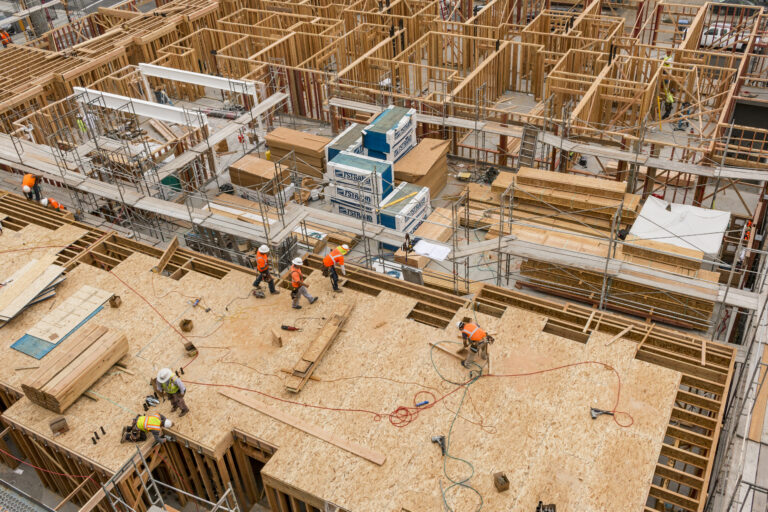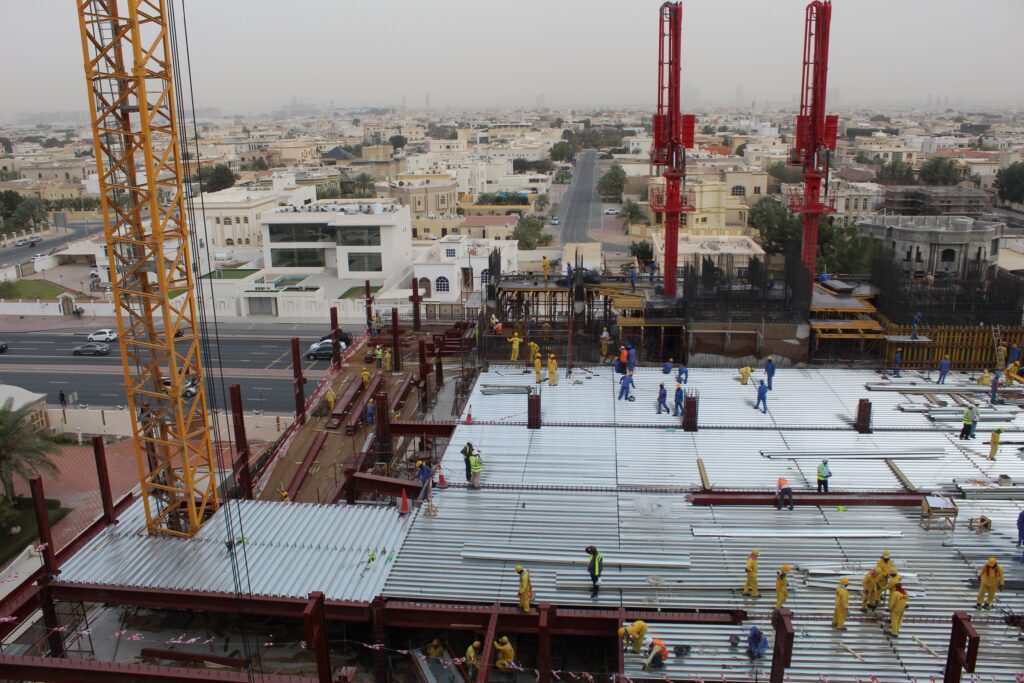
Every construction project lives in two places: (1) the office, with the schedule, budget, and contracts, and (2) the jobsite, where the work happens.
Successful construction field management keeps the two in sync, giving project managers, superintendents, and field teams a shared view of project progress and risk. Done poorly, the schedule says one thing while the field says another, and the gap is too expensive to close by the time anyone notices.
Best practices & tools
This guide covers what construction field management includes, where it breaks down, what construction field management software does differently, and how to improve it.
What construction field management includes
Construction field management describes the day-to-day work on a construction project so what gets built matches the plan, the schedule, and the contract. It covers scheduling and resource allocation, quality management, inspections, safety, daily reports, visual documentation, issue and punch tracking, and reporting back to the office across the entire project.
It overlaps with construction project management, but is not the same thing. Project management owns the entire construction process from preconstruction through closeout, while field management is the on-site component, focused on execution.
The main functions of construction field management
- Scheduling and resource allocation: Coordinating crews, equipment, and subcontractors so the right resources are on-site at the right time.
- Daily documentation: Capturing what happened on-site, what conditions looked like, and what got installed, through photos, 360° walks, and daily reports.
- Quality management: Running inspections and trade-by-trade signoffs against specification requirements before problems become rework.
- Issue tracking and resolution: Flagging, assigning, and closing out deficiencies, punch items, and safety observations before they compound.
- Field-to-office communication: Getting accurate, timely project information from the site to project managers, owners, and other stakeholders.
- Progress reporting: Tracking work against the schedule and surfacing delays while there’s still time to act.
- Subcontractor coordination: Managing handoffs between trades, enforcing scope boundaries, and resolving conflicts before they hit the critical path.
Why field management is harder now than it was five years ago
Three forces have made the work harder:
- Margin pressure: Project timelines are tighter, owners want more visibility into project progress, and a missed week costs more.
- The labor picture: Productivity in the construction industry has averaged 1 percent annual growth over the last two decades, compared with 2.8 percent across the broader economy, according to the McKinsey Global Institute. Fewer experienced project managers are having to run more complex work across more sites—and resource allocation shows the strain.
- Visual data overload: Field teams generate enormous volumes of visual documentation—smartphone photos, videos, 360° captures, drone imagery—but most field management software was built for text, not images.
“The superintendent role hasn’t gotten smaller—it’s gotten wider. Five years ago, a super might run one or two projects at a time with a crew they knew well. Now they’re managing more work, more subs, and more documentation requirements with the same hours in the day. The pressure isn’t new, but the margin for error is a lot thinner.”
— Wesley DuBose, Product Manager, OpenSpace
What are the five core workflows of construction field management?
Field management runs on five workflows that show up on every commercial construction project.
| Workflow | What it covers | What it produces |
| Daily documentation and visual records | The log of what happened on-site and what conditions looked like, paired with timestamped photos, 360° walks, or drone passes that anchor the record to actual conditions | Daily reports, visual records that feed project completion, warranty work, and pay app backup later in the construction process |
| Issue tracking and punch | Every flagged item, from a missing rebar cap to a final-walk punch list, tracked with photo and location context | An assignable, resolvable record so the trade knows where to go |
| Quality control and inspections | Catching problems before they become rework, through inspections and trade-by-trade signoffs against quality standards | Quality management that lands the construction project closer to its project budget at handover |
| Safety observations | Toolbox talks, near-miss reports, and incident documentation | A record that keeps the job moving and the project insurable |
| Field-to-office reporting | Information moving from the site to project managers, project executives, owners, and other stakeholders | Progress updates, pay application backup, project milestones, resource allocation updates, and the closeout record |
What is the role of the project manager in construction field management?
The project manager sits at the intersection of field reality and project commitments.
Project managers own the connection between what the site shows and what the schedule, project budget, and contracts require. They’re the single point of accountability for whether field information turns into decisions. The project team relies on project managers to drive project planning that reflects what’s happening on-site.
Visual capture changed the job. The best project managers today manage by exception, spending less time chasing information and more time acting on it—which is what data-driven decision making in construction field management looks like in practice.
What are the benefits of strong construction field management?
When field service management runs well, the impact shows up in the project budget. Five outcomes drive most of the value.
Fewer costly delays
When the field and the office work from the same up-to-date information, project managers catch schedule slippage while it’s still recoverable. Visibility into project progress shortens the time between a problem starting and someone catching it.
Less rework
Industry research from Autodesk and FMI found that miscommunication and poor project information cause 48 percent of all rework on U.S. construction jobsites. Strong construction management addresses that directly, with quality standards that hold from foundation to closeout.
Stronger dispute defensibility
A visual record that’s timestamped and pinned to the right location turns “we said, they said” into “here’s what was installed, on this date, in this location,” changing the math on disputes, insurance claims, and back charges.
Faster issue resolution
When an issue is flagged with a photo, a location pin, and an assignment, the trade goes straight to the problem. Less time finding it, more time fixing it.
Reduced site travel
Power Design, a national specialty contractor, reports a 50 percent reduction in travel costs by checking project progress remotely with OpenSpace. Their teams run more projects without adding headcount.
See what catching issues on day one looks like. Request a demo
What goes wrong: the four most common breakdowns in construction field management
Field management fails in predictable ways, and knowing the patterns helps builders spot them earlier.
Information stuck in someone’s phone
A superintendent texts a photo to a project manager, and it never reaches a system anyone else can find. Multiply that across 20 supers and a year of work, and project managers lose thousands of pieces of important project information.
Issues without location
A field note that says “leak on the third floor” without a pin on the plan forces the trade to walk the floor looking for it.
Forms-and-text tools where photos belong
Many field management tools were built around forms and text fields, with photos as bolt-on attachments. Image-based field task management flips that, starting from photo and location and adding form fields around them.
Reports that fall behind the work
When Friday’s report covers what happened Monday through Thursday, the office is making decisions on a four-day delay. Catching a problem on day one looks very different from catching it on day five.
How construction field service management software changes the equation
Most builders started with forms-first field management software—open a form, fill in fields, attach a photo, submit. Newer construction field service management reverses that sequence.
Field service management borrows from trades like HVAC but extends to commercial construction, where every issue, observation, and inspection lives with photo and location context. Image-first design is one of the digital solutions that streamline communication between field and office.
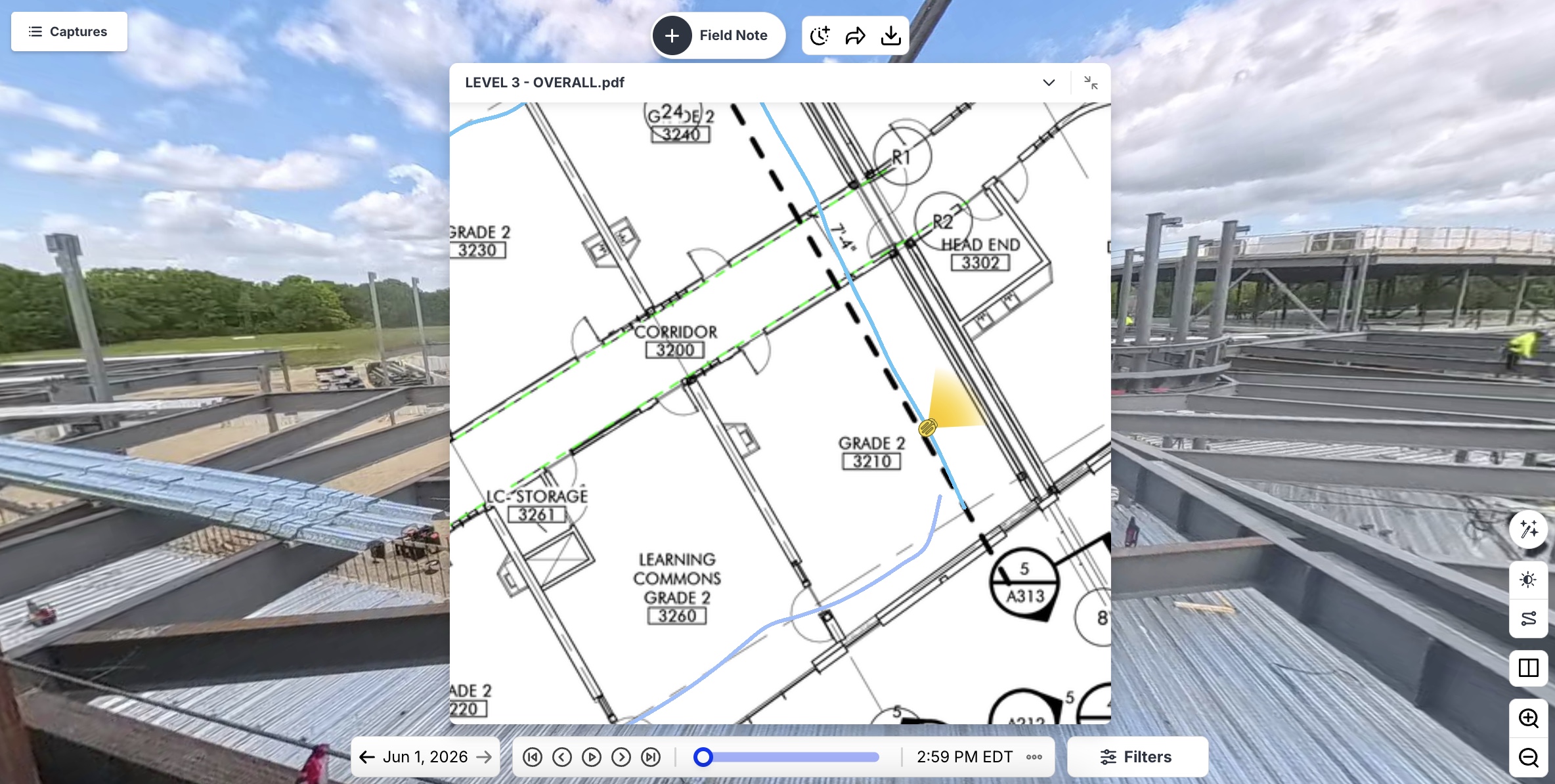
OpenSpace Field, the image-based task management product in the OpenSpace Visual Intelligence Platform, lets field teams use the smartphones and other mobile devices they already carry. AI Autolocation pins every Field Note to the right spot on the plan—even indoors, something GPS can’t do.
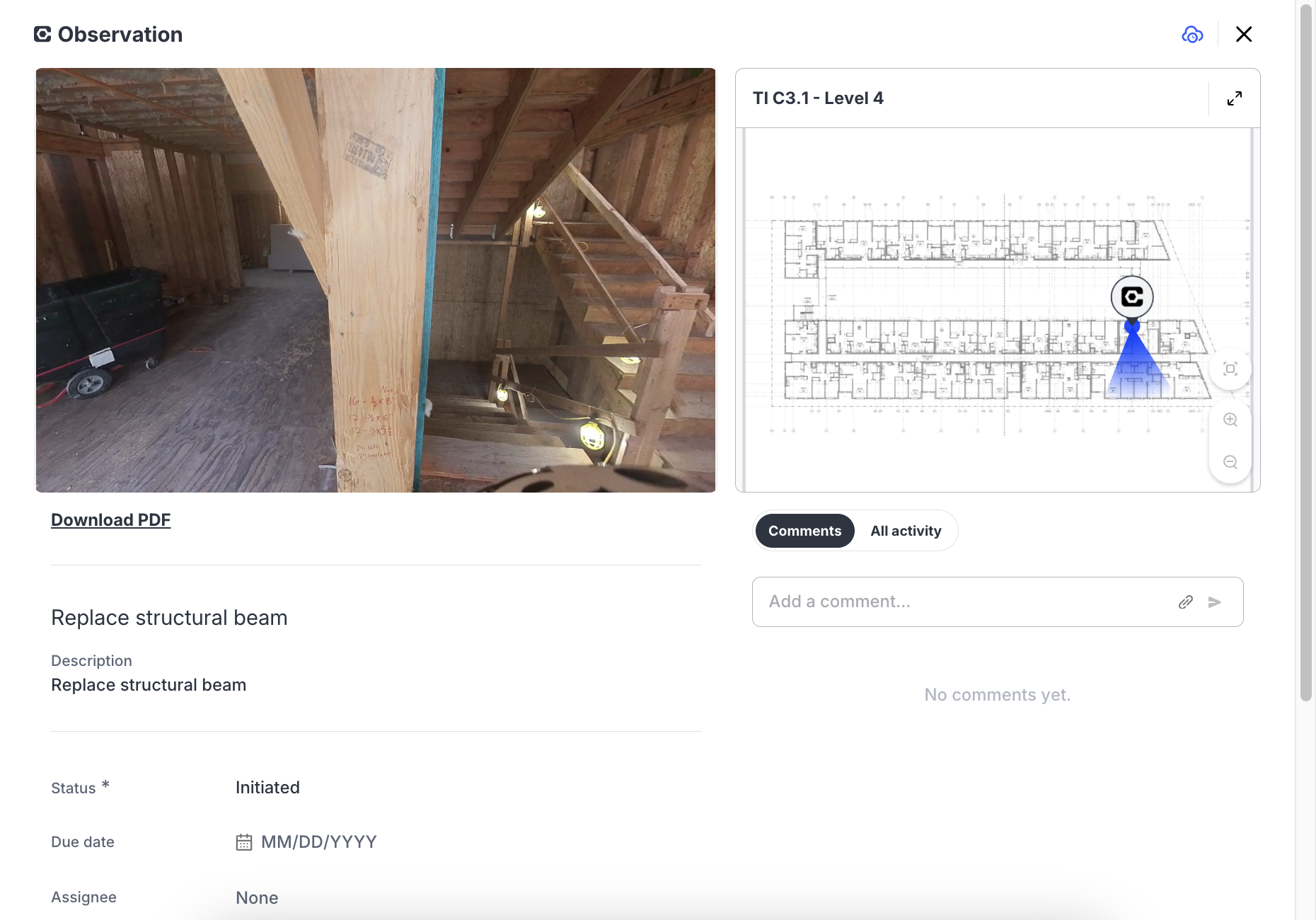
You can use Field Notes to create Procore Punch Items and Observations, or Autodesk Issues, directly in OpenSpace. All fields, like title, status, descriptions, due dates, and imagery stay aligned with two-way sync. That means no double entry and the visual record flows into the systems your project is already running on.
The point is not the number of features in the software, but that the field uses it. Adoption of construction field management software has always been a challenge. Image-first workflows that match how teams already work solve that challenge in a way forms-first approaches never could.
“The speed of OpenSpace matters, but that’s not what teams talk about most. What they tell us is that they stopped losing things. A photo without a location is just a photo. Once every observation is pinned to the plan automatically, the whole team is working from the same picture of the site—and conversations that used to take 20 minutes get resolved in two.”
— Wesley DuBose, Product Manager, OpenSpace
How to improve construction field management on your projects
The teams that improve fastest do five things, in order.
1. Audit where field information actually breaks down
Find where information gets stuck: the delay between the daily walk and the daily report, the time to handoff from project manager to super, the lag between someone flagging an issue and the trade hearing about it. Effective management of construction field workflows starts with diagnosis.
2. Set a documentation cadence before picking a software solution
A weekly 360° walk on every active floor, by the same person, delivers more value than a daily walk that runs inconsistently. Regularity gives project planning a basis in reality and makes it possible to track progress and identify trends.
3. Pick software the field will actually use
Your team won’t use field management software that requires ten minutes of typing to log a single issue. Field management improves only when the people on the ground log what they see—and they’ll only do that if the process is fast and easy.
4. Connect field documentation to the system of record
Procore and Autodesk are common systems of record on commercial projects, and parallel documentation generates more work than it saves. A system that syncs both ways—with field issue tracking with photo and location context flowing into Procore or Autodesk, keeps the field and the office working from the same information.
5. Treat documentation as a closing-out asset
A complete visual record protects the project after the team completes the punch list, supporting warranty work, insurance claims, and contract disputes that land months or years after the project team has moved on.
The same record can also lower what the project pays for coverage in the first place, since some insurers now price that record into the premium.
It pays off before closeout as well: if fire, wind, or theft damages work in progress, recovering under builders risk coverage depends on showing the condition of the work before the loss.
A real example: how visual records keep distributed teams aligned
Power Design, an $875 million design-build contractor with 2,000+ employees across 23 states, deployed OpenSpace company-wide to standardize documentation across distributed projects. Field crews capture 360° walks, project managers and office teams review them remotely, and the team flags and resolves issues without a site visit. The reported result is a 50 percent reduction in travel costs.
The visual record turns remote construction site management from a workaround into a repeatable workflow. Their teams cover more sites without adding travel.
Talk to an OpenSpace expert about your projects. Contact us.
Frequently asked questions
How does construction field management differ for specialty subcontractors?
For specialty subcontractors, construction field management leans into what the construction industry calls FSM, or field service management. FSM systems and FSM technology have to manage crew schedules and resource allocation across multiple sites, prove work-in-place for billing without a site visit, and feed documentation back to the GC’s system of record without a parallel administrative load.
How can you improve communication between the construction field and the back office?
Replace text and email as your primary channel. Platforms that capture issues with photo, location, and assignment in one step give the back office a picture instead of a sentence. When field teams and project managers share the same visual record, communication stops being a game of telephone and starts reflecting what’s actually happening on site.
What is the biggest challenge in construction field management?
The biggest challenge is getting field information to the office fast enough to act on it. Construction teams that do it well capture site reality on a regular cadence, put visual context at the center of every field-to-office handoff, and connect that documentation to their project management software.
Construction field management is, at its core, a visibility problem. Builders in the construction industry who close the gap, with the right cadence and tools, run projects with fewer surprises.
With OpenSpace, your projects are always visible and never in doubt. Get a demo.