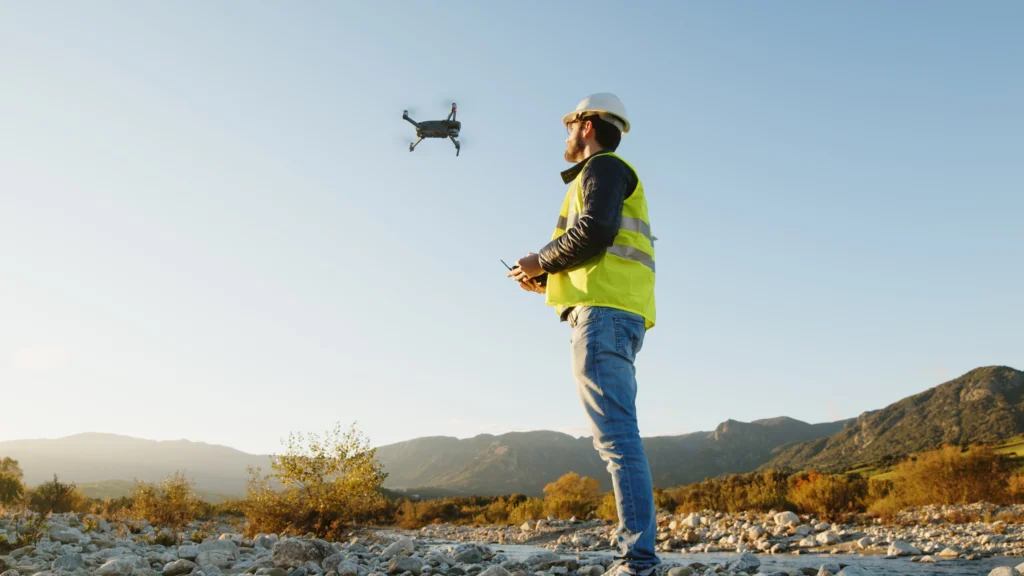
OpenSpace Vs. DroneDeploy
Find the right fit for your jobsite
Get a clear look at how OpenSpace and DroneDeploy stack up. Learn what each platform does, where they differ, and which is the stronger fit for your project.
OpenSpace
At a glance
OpenSpace is the Visual Intelligence Platform for builders. Powered by Spatial AI, you can capture with smartphones, 360° cameras, drones, and laser scanners. OpenSpace automatically maps images to the correct location on a floor plan.
~ 15 min
View 360° captures in about 15 minutes
vs. hours with DroneDeploy Ground
95%
Verified progress tracking accuracy
AI + human review
2-way
Procore & Autodesk workflow sync
Not just a connector
Platform Strengths
What each platform does well

OpenSpace strengths
- ~15 min 360° capture processing—same-shift availability
- Complete image retention from every 360° capture
- OpenSpace Field: AI Autolocation + AI Voice Notes
- Two-way Procore and Autodesk sync
- 95% verified progress tracking accuracy (AI + human)
- Any smartphone: iOS and Android
- One platform for aerial, ground, and field
- HTML offline deliverable + 10-year retention
- 15-minute onboarding, no special hardware
DroneDeploy strengths
- Established aerial drone mapping track record
- Survey-grade RTK/PPK with centimeter GCPs
- Auto-dock and autonomous flight planning
- Ground robot integration
- Safety AI for OSHA risk detection
- Broad ecosystem: Esri, S3, Azure, GCS
360° site documentation
Same-shift vs. next-morning
OpenSpace
Document 25K sq. ft. in 10 minutes and view your 360° in 15 minutes on average. Every image is included, creating a complete visual record for dispute resolution, hidden conditions, and verifying what was in place before work was covered.

DroneDeploy
Supports photo and note capture with a one-way push to Procore Observations and Autodesk. No end-to-end field workflow, no AI Autolocation, no AI Voice Notes, and no sync back from Procore or Autodesk.
For teams doing daily walkthroughs, the gap between 15 minutes and several hours determines whether documentation is usable the same shift it was captured, or the next morning.
Field Issue Management
Built-in field execution vs. capture & export
OpenSpace
OpenSpace offers image-based task management for the field, optimized for the smartphone (iOS and Android). AI Autolocation automatically pins photos to the plan. Dictate an observation with AI Voice Notes and OpenSpace fills in the details. Two-way sync with Procore Punch Items and Observations and Autodesk Issues keeps both systems current.
DroneDeploy
DroneDeploy Ground supports photo and note capture via smartphone (iOS only—no Android support) with a one-way push to Procore Observations and Autodesk Issues. Does not offer end-to-end field workflow, AI Autolocation, AI Voice Notes, or two-way sync with Procore or Autodesk.
BIM Coordination
BIM element overlay vs. BIM Compare only
OpenSpace
Overlay model elements onto site imagery in BIM Compare, with auto-alignment built in. You can tie every Field Note logged on the model back to Procore and Autodesk with two-way sync.
DroneDeploy
Offers BIM Compare, but doesn’t support BIM element overlay or BIM-linked field execution.
Construction Progress Tracking
AI + human verification vs. AI only
OpenSpace Track
AI-powered progress tracking with human review for 95% accuracy. Defensible for pay applications, schedule sign-off, and owner reporting. Track percent complete by trade, floor, and zone. Automated Spotlights flag rework and out-of-sequence installs.
DroneDeploy Progress AI
In early access as of early 2026. Tracks status by location and trade, with three available statuses: not started, in progress, or complete. Uses AI, without a human verification layer in the current product.
Aerial Capture & Drone Surveying
Commercial building vs. survey-grade civil
OpenSpace
Processes imagery from any drone and any flight planning software. 2D and 3D measurements, elevation views, cut/fill analysis, plan overlays, exports for survey, civil, GIS, and LiDAR workflows. Virtual control points feature to capture ground control points without costly survey equipment. Easily layer in site plans, utilities, and other drawings on your captures to track progress, coordinate work, and resolve issues.
DroneDeploy
Longer and more established track record on aerial surveying. RTK/PPK, centimeter-accuracy GCPs, corridor mapping, and earthworks volumetrics—purpose-built for survey contractors and civil teams. Auto-dock hardware for pilotless flights. Overlay tools are not user friendly.
For commercial building construction, OpenSpace ground capture, field execution, and progress tracking capabilities are more directly relevant. For civil earthworks or survey-grade drone data, DroneDeploy has the deeper track record.
Integrations
How each platform connects to the systems builders already use
For most builders, integrations are a deciding factor. A platform that doesn't connect to the tools your project runs on creates more work, not less. Here's how each platform connects to the systems builders already use.
Procore
Autodesk
Revizto
OpenSpace
- Create Procore and Autodesk issues natively in OpenSpace
- Two-way sync with Procore Punch Items and Observations
- Two-way sync with Autodesk Issues
- Status, descriptions, due dates sync both directions automatically
- Field Note integration with Revizto Issues
DroneDeploy
- One-way push of Field Notes to Procore Observations only, not Punch Items
- Updates made in Procore do not sync back to DroneDeploy
- Autodesk Issue integration follows the same one-way pattern
- Also connects to Esri ArcGIS, S3, Azure, Google Cloud, Box, SharePoint
The difference between a connector and a true workflow integration matters most when managing active issues. If your workflow runs through Procore or Autodesk, this is the most operationally significant integration difference between the two platforms.
Pricing
How each platform structures pricing
Neither platform publishes fixed pricing. Both operate on custom quotes based on project scale and deployment scope.
OpenSpace pricing

Core
Capture on any device from smartphones to 360° to drones; unlimited capture and project scale; image-based task management; BIM coordination; and expert-led onboarding.
Enterprise
Everything in Core easily scaled across your portfolio + SSO, API access to connect to platforms like Power BI, and deeper onboarding and custom adoption support.
Progress Tracking add-on
Work-in-place validation, milestone-based tracking, verified progress reporting.
Pricing based on annual construction volume. Most teams start with a pilot.
DroneDeploy pricing
DroneDeploy Unified
Aerial + ground in one subscription; also available separately.
DroneDeploy Aerial/Aerial Pro
Drone mapping, 3D models. Pro adds survey-grade GCPs, accuracy alerts, earthworks.
DroneDeploy Ground
360° walkthroughs, BIM overlays, Safety AI, robotics.
Add-ons
Progress AI and Safety AI. Progress AI currently in early access.
Pricing increases cited as a concern by long-term users in reviews.
What Users Say
Reviews from construction teams on G2
OpenSpace
"We are capable of mapping a site in 30 minutes or less based on size. It saves so much time."
"Great for looking back at concrete slab formwork and embedded items. When changes are necessary and require slab drilling or coring we can learn where to avoid."
DroneDeploy
"Being able to access the videos and pictures from anywhere, allowing management to monitor progress and identify issues remotely. Any time we had an issue or questions, we would get a quick response with a knowledgeable person to guide us through."
"Being able to plan the flights and account for very steep terrain. Uploading is a breeze and the deliverables show up every time."
Note: Multiple DroneDeploy reviewers cited processing time frustration and pricing increases as reasons they may not renew.
Which Platform is Right
Choosing the right platform for your project
Choose OpenSpace if:
- Your primary need is ground-level documentation, daily walkthroughs, and field execution in one workflow.
- Your field crews include Android users or tablet users.
- You need two-way sync with Procore or Autodesk.
- You need progress tracking results that hold up to billing review.
- You want ground, aerial, field execution, and verified progress analytics in a single native platform.
Choose DroneDeploy if:
- Your primary use case is aerial surveying with centimeter-accuracy for civil or earthworks.
- Your workflow depends on RTK/PPK, automated dock flights, ground robots, or deep Esri GIS.
- You’re already embedded in DroneDeploy’s aerial workflows and ground documentation is secondary.
Other DroneDeploy alternatives & competitors
If DroneDeploy isn’t the right fit and you’re looking for alternatives to DroneDeploy software, the platforms below are among the most frequently compared DroneDeploy competitors for aerial mapping, photogrammetry, and drone-based site documentation.
ArcGIS Drone2Map (Esri)
ArcGIS Drone2Map is a desktop application that converts drone imagery into 2D and 3D outputs including orthomosaics, point clouds, and digital terrain models. It connects natively to the broader ArcGIS ecosystem for geospatial analysis, sharing, and visualization.
PIX4Dmapper
PIX4Dmapper is photogrammetry software from Swiss company Pix4D. Unlike DroneDeploy’s cloud-first model, it supports both desktop and cloud processing, giving teams with local computing resources greater control over processing parameters.
Propeller Aero
Propeller is a cloud-based platform built around a single site map that brings plans, data, and teams together. It combines drone photogrammetry, GNSS data, and CAD overlays for accurate cut and fill, elevation, and contour analysis.
Skycatch
Skycatch is an enterprise drone mapping and data analytics platform serving construction, mining, and energy industries. It provides aerial data capture automation, processing, visualization, and analysis tools, with a focus on centimeter-accurate 3D scanning in complex and remote environments.

Frequently asked questions
What is the difference between DroneDeploy photogrammetry and OpenSpace 360° walkthroughs?
These are different capabilities serving different purposes. DroneDeploy’s photogrammetry, via its Aerial product, produces georeferenced 2D and 3D outputs—orthomosaics, point clouds, and digital surface models—from drone imagery captured above the site. With RTK/PPK options, it can deliver survey-grade centimeter accuracy. That output is used for site measurement, earthworks tracking, and civil engineering documentation.
OpenSpace Capture creates a complete visual record of interior spaces, captured by walking a site with a smartphone or 360° camera. Every image is automatically mapped to the correct spot on the floor plan and viewable in 15 minutes on average.
The use cases are fundamentally different: one measures and models a site from above, the other documents what was built at ground level and when.
What happens to my project data at closeout? Does OpenSpace or DroneDeploy offer long-term access?
At project closeout, OpenSpace provides an Offline Deliverable: a file of your project that you can store locally on your server, viewable by anyone with access and without needing an active OpenSpace subscription. The file includes 360° video captures, 360° photos, and Field Notes associate with your 360° captures. Offline Deliverables can be used for closeout documentation, warranty claims, and dispute resolution long after construction ends.
DroneDeploy does not publish a comparable owner handover offering.
How does OpenSpace Track differ from DroneDeploy Progress AI?
Both platforms use AI to track construction progress, but the approach is fundamentally different. OpenSpace Track combines AI-powered tracking with expert human verification—a hybrid approach that produces results builders can stand behind for pay applications, schedule sign-off, and owner reporting. The human review step is key to making the output defensible.
DroneDeploy Progress AI is fully automated, using vision-language models to generate progress reports in minutes without a human verification layer. DroneDeploy positions this speed as a direct advantage over human-in-the-loop approaches. It is currently in early access.
For project managers who need to sign off on billing based on progress data, the distinction between AI-only output and AI plus human verification is a meaningful one.