A construction documentation checklist is the difference between a project that defends itself and one that cannot. When a dispute, a rejected pay application, or a handover challenge lands months after the work wraps, the question is always the same: what was actually built, when, and by whom.
Builders who can answer with clear records move on. Builders who cannot pay for it. The 2025 Arcadis Global Construction Disputes Report put the average value of a U.S. construction dispute at $60.1 million, and many of those disputes trace back to gaps in what was captured across the build.
Documentation is the evidence layer that protects margin, schedule, and reputation on every construction project. This checklist organizes that evidence by phase, from preconstruction through closeout, and maps each phase to the specific risk that thin documentation creates.
What a construction documents checklist needs to do
A useful construction documents checklist does more than list items to file. It assigns accountability. Every entry should answer who captures it, when, where it lives, and which decision or risk it protects.
Standardizing that structure across a portfolio is what separates an operations function that scales from one that depends on the memory of individual project managers.
Three principles hold across every construction phase. Capture should be consistent, so it survives staff turnover and busy weeks. Locate and time-stamp every record, so it answers “where” and “when” without argument. And the same standard should apply on the first project and the hundredth, because uneven documentation is the gap that disputes and claims exploit.
Phase 1: preconstruction and existing conditions documentation
Preconstruction documentation protects the project before a single trade mobilizes. The goal is a defensible baseline: what the site looked like, what the contract scope covered, and how the design was understood on day one. Document existing conditions thoroughly, and later claims about pre-existing damage, unforeseen site conditions, or changed scope have an objective point of reference.
Three things belong in every preconstruction record:
- Existing conditions across the full site, including adjacent structures and utilities that could later become contested. This is the baseline every future claim gets measured against.
- The baseline construction schedule and scope of work, along with the architectural drawings, structural sheets, and specifications that define design intent.
- BIM alignment with the construction drawings that the field will actually build from. Confirming this early prevents the quiet divergence between model, drawings, and contract that produces rework later.
Documenting existing conditions with laser scanning
Laser scanning gives preconstruction documentation a level of dimensional accuracy that photos alone cannot match. A laser scanning pass produces point clouds that record existing conditions to the millimeter, which matters most on renovation and retrofit work where the as-found state is uncertain. Pairing a laser scanning pass with 360° imagery creates both a measurable record and a visual one.
Reality capture software turns that imagery into a single, located record mapped to the floor plan, so existing conditions stay accessible long after mobilization.
Phase 2: active construction documentation, cadence, and as-builts
Active construction is where documentation either compounds into a reliable record or decays into scattered photos nobody can find. A consistent capture rhythm turns daily field activity into a running as-built record, rather than a scramble to reconstruct history at closeout. This is also the phase where the most expensive documentation failures begin, because covered work, buried utilities, and in-wall conditions disappear permanently once the next trade moves in.
Treat as-builts as a living record during the build, not a closeout deliverable. Every capture pass that documents installed work before the next trade conceals it becomes part of the as-built that the owner, the next trade, and the facilities team will rely on. Missing project information is not a minor inconvenience.
The FMI and PlanGrid Construction Disconnected report found that poor and inaccessible project information and miscommunication drive roughly half of all rework in the U.S., a cost that begins with documentation gaps during active construction.![[Capture] Split View](https://www.openspace.ai/wp-content/uploads/2026/06/Capture-Split-View-scaled.png)
Setting a capture cadence for the construction site
A documentation cadence works only if it fits how the construction site actually runs. Tie capture to the milestones the field already tracks, when conditions are about to change or disappear for good:
- Before a slab pour: to record rebar, embeds, and underslab work before concrete hides them.
- Before walls close: to document framing, blocking, and in-wall rough-ins.
- Before ceilings go up: to capture above-ceiling mechanical, electrical, and plumbing runs.
- At each inspection: to tie a visual record to the inspection date and result.
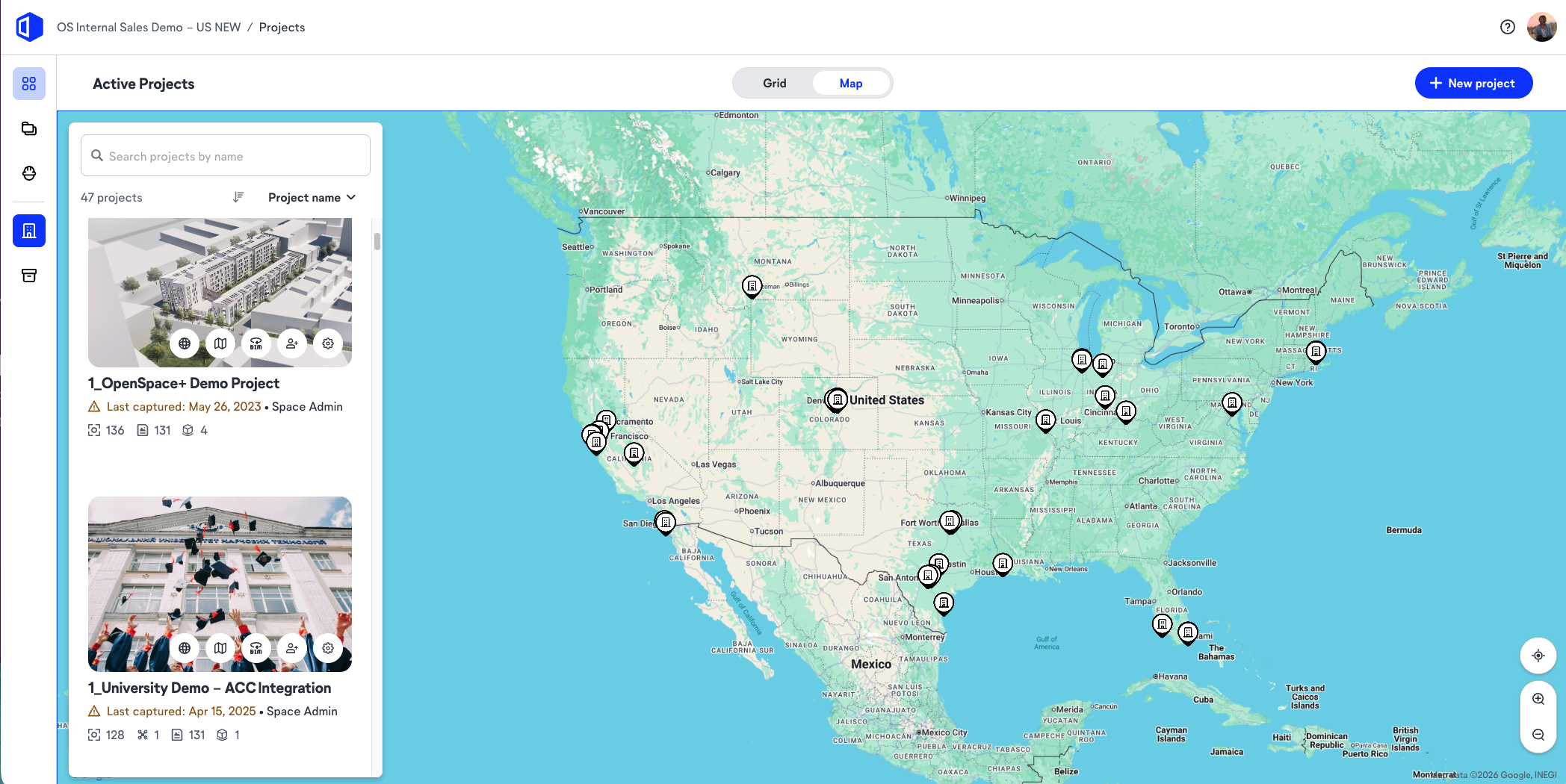
Image-based capture mapped to the floor plan, paired with construction photo documentation that pins every image to its location, lets a superintendent walk the construction site once and produce a complete record in minutes rather than hours.
The cadence should be light enough that crews keep it during the busiest weeks, because documentation that only happens when there is spare time is documentation that fails when it matters.
Keeping as-built drawings current against the scope of work
As-built drawings should change the moment the field deviates from the plan. Every field change, substitution, or design change creates a gap between the original plans and what stands on site, and that gap is exactly what disputes and future renovations expose.
Logging each deviation against the scope of work as it happens keeps the as-built drawings honest and the construction schedule defensible. Field issues, redline drawings, and observations captured in context, with imagery attached, give the design team and the contractor a shared reference instead of conflicting recollections.
Products like OpenSpace Field and OpenSpace BIM+ keep those field changes tied to the model as work proceeds.
“What I see is that the teams who stay audit-ready never treat documentation as a separate task. It is just part of the walk. The superintendent captures the floor on the way to something else, and the record builds itself. The teams that scramble are the ones who decided the as-builts could wait until the project slowed down. It never slows down. So they hit closeout trying to remember what got buried back in the spring, and they end up reconstructing history from memory and a few phone photos. The difference comes down to whether capturing the work is a habit or an afterthought.”
—Wesley DuBose, Product Manager, OpenSpace
Phase 3: closeout documentation, record drawings, and final as-builts
Closeout is where documentation debt comes due. The handover package is only as complete as the records gathered across the prior phases, and missing items resurface as warranty disputes, delayed final payment, or an owner who cannot operate the building. A disciplined closeout converts the running record into a clean, verifiable set of deliverables.
A complete closeout comes down to three things:
- Punch list completion with visual proof, not a checked box alone, so the team documents each correction as done.
- Final as-builts that reflect what crews actually built, reconciled against the redline drawings and field changes logged during the build.
- A handover package the facilities team can use on day one, including record drawings, equipment information, warranties, and operations manuals.
How to create as-built drawings at handover
To create as-built drawings at handover, reconcile the design drawings against everything captured during construction: the redline drawings, the logged field changes, and the visual record of installed work. The most reliable way to create as-built drawings is to build them progressively across the project, so closeout becomes a verification step rather than a reconstruction effort.
Where teams rely on memory or end-of-job site visits, traditional as-builts tend to miss concealed work and late design changes. A located visual record lets the contractor confirm final as-builts against real imagery, then verify installed work against the model using QA/QC inspections. The result is a defensible set of record drawings the owner can trust.
“What I see get missed is everything that went behind the walls. The handover package is usually heavy on the paperwork people remember to collect, warranties, the O&M manuals, and the final drawings. What is thin is the visual record of how it actually got built. Two years later the facilities team is trying to find a shutoff valve or figure out why a duct runs where it does, and nobody captured it. That gap turns a five-minute answer into opening up a wall. The teams that come out clean treated their as-builts as something they built every week, not something they assembled the month before turnover.”
—Wesley DuBose, Product Manager, OpenSpace
Contact OpenSpace to standardize as-built drawings and closeout documentation across your project portfolio.
What visual documentation captures that construction drawings and written reports cannot
Visual documentation records what verifiably happened, while construction drawings and written reports record what was supposed to happen or what someone remembers happening. Both matter, but only one is hard to dispute. A daily report says a wall was inspected. A located, time-stamped image shows the wall, its condition, and the date, pinned to the exact spot on the plan.
That difference decides claims. When a dispute reaches the point of money and lawyers, a written log invites argument about interpretation, while a visual record narrows it to what the imagery shows.
Visual documentation also carries detail nobody thought to write down, surfacing the unforeseen site conditions, the out-of-sequence work, and the quiet design changes that text-based records routinely miss. For electrical systems, plumbing systems, and other concealed building elements, a photographic record of installed work before concealment is often the only evidence that survives to closeout and into the as-builts.
“When a claim gets serious, the daily reports are the first thing that falls apart. A written log is one person’s summary of a busy day, and the other side always reads it differently. What holds up is a time-stamped image tied to a location. You can argue about what a report meant. It is a lot harder to argue with a photo of the condition on the date it existed. The cases I watched drag out for months were the ones where the record was all words. The ones that closed fast had pictures.”
—Wesley DuBose, Product Manager, OpenSpace
A downloadable construction documentation checklist for every construction project
This downloadable construction documentation checklist condenses each phase into a standard any construction project can adopt. Use it to set one documentation standard across the portfolio.
Preconstruction
- Capture existing conditions across the full site, including adjacent structures and utilities.
- Record the baseline construction schedule, the scope of work, and the core construction documents.
- File the architectural drawings, structural sheets, and specifications that define design intent.
- Run a laser scanning pass on renovation or retrofit work and confirm BIM alignment.
Active construction
- Capture installed work before the next trade conceals it, on a fixed cadence tied to milestones.
- Update as-built drawings as field changes occur, logged against the scope of work.
- Record field issues and redline drawings in context, with imagery attached.
- Maintain progress documentation for owner and stakeholder reporting.
Closeout
- Document punch list completion with visual proof, not a checked box alone.
- Reconcile final as-builts against the logged changes and redline drawings.
- Assemble the handover package: record drawings, equipment information, warranties, and manuals.
- Verify installed quality against the model before sign-off.
Download the construction documentation checklist
Get the full phase-by-phase checklist below. Share it with the field, standardize documentation across every project, and arrive at closeout with the record already built.
Frequently asked questions
How long should construction documentation be retained after project completion?
Retention requirements vary by contract, jurisdiction, and project type, but many construction contracts and statutes of repose call for keeping core records for seven to 10 years after project completion. Because latent defect claims can surface years later, retaining as-builts, inspection records, and the full documentation set for the longest applicable period is the safer practice. Confirm the specific retention term in the contract and local building codes before setting a portfolio standard.
Who is responsible for maintaining as-built drawings during construction?
Responsibility for maintaining as-built drawings during construction usually sits with the general contractor, who records field changes as work proceeds, while subcontractors mark up their own redline drawings for their scope. The design team typically reviews those markups and incorporates them into the final record drawings. Assigning this clearly in the contract prevents the common failure where everyone assumes someone else is keeping the as-builts current.
What is the difference between as-builts and record drawings?
As-builts are the field-marked drawings that show how crews actually built the project, including every deviation from the original plans. Record drawings are the cleaned-up, formalized version the architect or engineer produces by incorporating those field markups into the final drawing set. In short, as-builts are the working field record, and record drawings are the official archived version derived from them.