Drone mapping used to be a specialist activity on construction sites. From preconstruction earthwork analysis through closeout documentation, drones are becoming part of the standard workflow for builders who want a clear picture of what’s happening across every acre of their sites.
According to the FAA’s CY 2024 Small UAS Survey Report, real estate and construction rank as the most common activity sectors for commercial drone operators in the United States, with over 500 Part 107 operators identifying as active in the field.
Capturing aerial images is the easy part. The harder question is what builders do with those outputs after processing.
Orthomosaics that live in a standalone app no one checks. Point clouds exported and forgotten. Elevation models that never connect to the plans on the superintendent’s screen. These are all examples of drone mapping that stays siloed, drone mapping that does not drive decisions.
This guide covers how drone mapping works, what outputs matter for builders, where it fits in the project lifecycle, and what to look for in drone mapping software.
What is drone mapping?
Drone mapping is the process of flying a drone over a site to capture overlapping aerial images, then using photogrammetry software to stitch those images into accurate, georeferenced outputs. In construction, those outputs (orthomosaic maps, 3D models, point clouds, and digital elevation models) give builders a measurable, navigable view of their site from above.
Standard aerial photography captures a moment in time from a single angle. Drone mapping uses precise image overlap, GPS positioning, and photogrammetry processing to produce deliverables you can take measurements from, overlay plans on, and compare across time. Builders need documentation they can act on—not just imagery to share in a progress report.
Commercial drones have made this kind of aerial mapping accessible at scale. Traditional land surveying required specialized equipment, multiple site visits, and days of post-processing. A single flight with the right drone mapping software now produces high-resolution outputs in hours.
Builders, farmers, and environmental teams all rely on drone mapping across industries, from crop health monitoring in agriculture to environmental monitoring of sensitive land areas. For construction, operational stakes are high—missed earthwork quantities, undetected drainage issues, and progress disputes all carry real cost. That’s why drone photogrammetry has moved from a survey specialty into a standard project management workflow for builders.
How drone mapping works: from flight to deliverable
The workflow breaks into four stages:
1. Mission & flight planning
Before the drone flies, teams set the flight altitude, coverage area, and image overlap parameters using flight planning software. Higher image overlap, typically 70 to 80 percent front overlap and 60 to 70 percent side, produces more accurate maps and 3D models, especially over complex areas with vertical elements or dense vegetation.
2. Capture: the flight
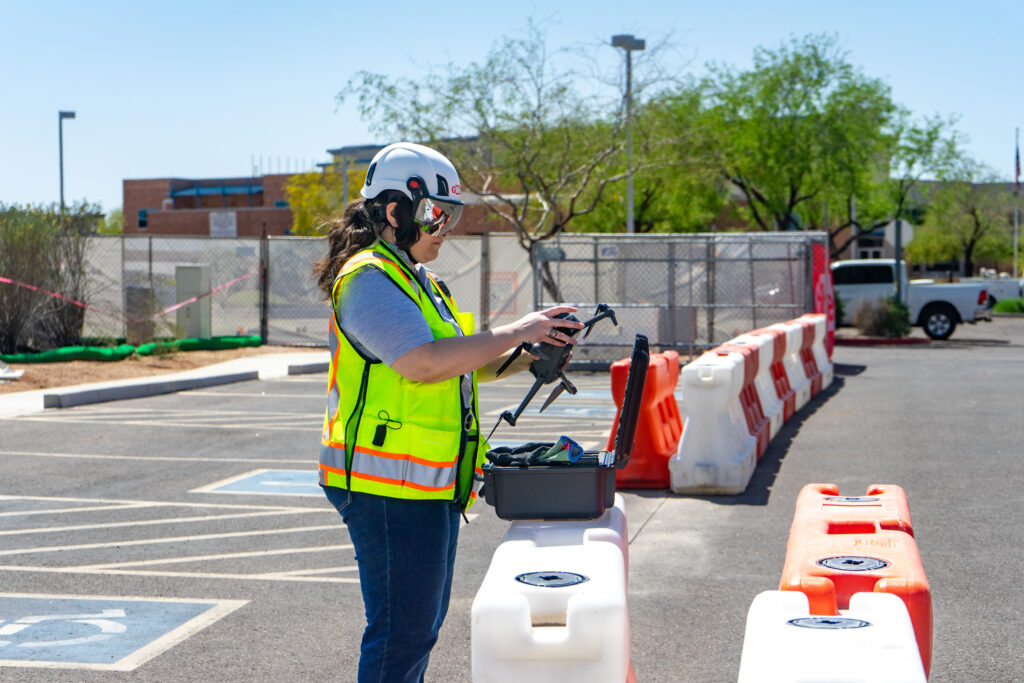
The drone flies the planned route without manual input, capturing hundreds or thousands of aerial images with embedded GPS coordinates. Most mapping missions across a standard construction site finish in a single flight, depending on battery life (typically 20 to 40 minutes per charge) and site size. Drones are well-suited to hazardous terrain and large areas where walking a survey would be impractical or dangerous.
3. Processing: turning flight imagery 3D models & more
Upload aerial images to drone mapping software, which uses drone photogrammetry (specifically structure-from-motion) to reconstruct the surveyed area from overlapping aerial images.
The platform generates orthomosaic maps (high-resolution outputs corrected for camera tilt and lens distortion), point clouds, 3D models, and digital elevation models in hours. No internet connection is needed during the flight itself.
4. Delivery: digital elevation models, point clouds & exports
The platform makes processed outputs available for download, analysis, and integration with other project workflows. Your team can export orthomosaics and elevation models to software like Civil 3D and ArcGIS for downstream survey, civil, and GIS work. Point clouds, 3D meshes, and LiDAR exports (generated via drone photogrammetry or LiDAR scanning) support BIM workflows, 3D mapping applications, and stakeholder reporting.
Accuracy: base station, ground control points & virtual control points
A note on accuracy: survey grade accuracy, meaning centimeter level precision, is achievable with RTK (real time kinematic) or PPK workflows using a base station for GPS correction. A base station provides a fixed reference point that significantly improves positional accuracy across the entire surveyed area, making high accuracy outputs viable without post-processing delays.
For standard construction documentation and progress tracking, ground control points placed across the surveyed area before the flight align imagery precisely. In OpenSpace Air, you can use the virtual control points feature to align captures from multiple flights without needing costly survey equipment required for ground control points.
“Drone outputs are much more than aerial photos. You’re getting a measurable, georeferenced record of the site at a specific point in time. You can pull quantities from it, compare it against your civil drawings, and overlay it against last week’s capture to see exactly what moved.”
—Jess Lam, Director of Product, OpenSpace
Want to see how you can use OpenSpace drone mapping on your projects? Talk to an expert.
Where drone mapping fits in the construction project lifecycle
The value of aerial mapping varies across a project. Drone mapping delivers the clearest return for builders in these major areas.
Preconstruction site analysis
Builders who start aerial documentation before ground is broken have a site record that begins at day zero. Drone captures during preconstruction support accurate terrain analysis, earthwork planning, drainage assessment, and logistics layout.
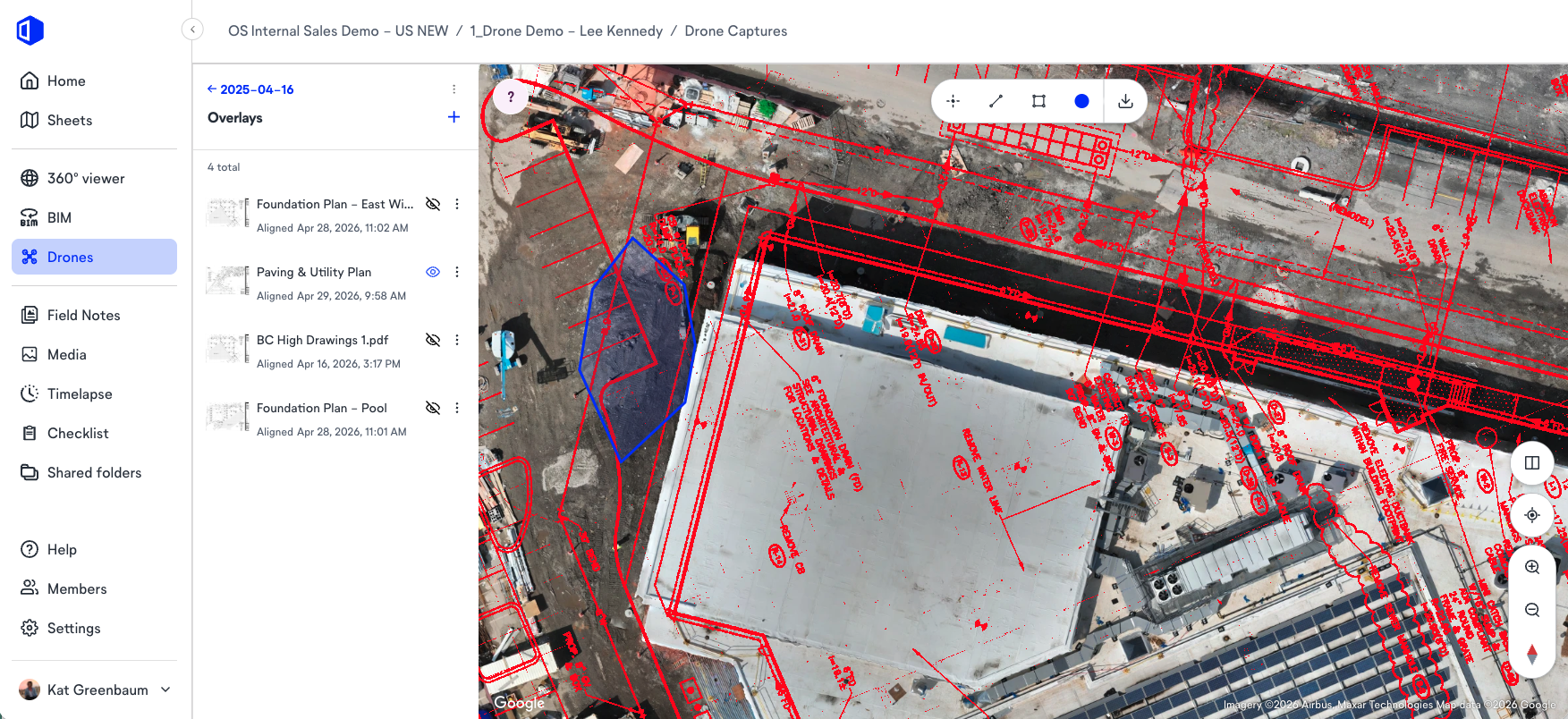
Comparing the site survey to design drawings before work starts surfaces conflicts that are far cheaper to resolve in planning than in the field. OpenSpace Air lets teams import drone imagery into the Visual Intelligence Platform from the first site visit—before any 360° capture has taken place.
Earthwork tracking & cut/fill analysis
Earthwork is one of the most cost-sensitive phases of any large-scale project. Accurate digital terrain models built from drone elevation captures let project engineers quantify cut/fill volumes, track grading progress, and validate site work against civil drawings, all without putting people into active earthwork areas. This is where accurate maps with reliable elevation outputs translate directly into tighter cost control.
Progress documentation, owner reporting & damage assessment
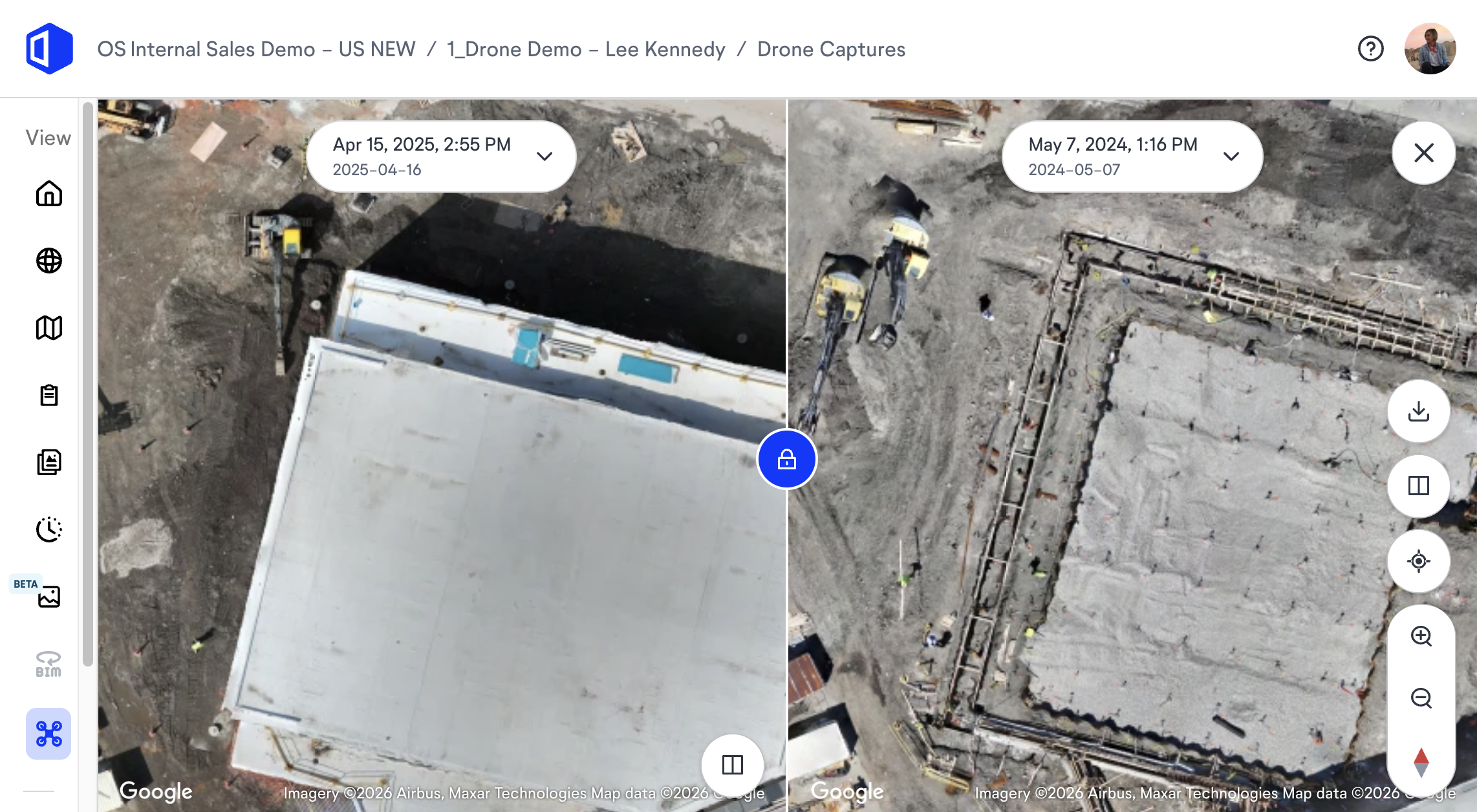
Regular drone captures create a visual timeline of site progress. Aerial images processed into orthomosaics and made comparable across dates give project managers split-view comparisons to show owners exactly how work is advancing, or to flag where it’s not.
The same aerial record supports damage assessment after weather events or site incidents, giving builders documented evidence of conditions before and after. Pairing aerial documentation with ground-level 360° reality capture inside gives you the big picture from above and the fine detail at grade, all in one platform.
“Here’s a scenario I’ve seen all too often. Teams fly the site, the imagery gets processed, and then it lives in a mapping app that nobody opens during the weekly OAC meeting. The superintendent is working off plans on a different screen. The project manager is in Procore. Nobody goes back to the drone platform unless something goes wrong. If the aerial capture isn’t visible in the same place your team is already working, it’s documentation for its own sake.”
—Jess Lam, Director of Product, OpenSpace
How to use a drone for mapping on a construction site
Using a drone for mapping on a construction site doesn’t require specialized survey expertise. Here’s the practical workflow:
Choose your drone
Any commercial drone with a sufficient camera, including DJI drone models like the Mavic 3E or Phantom 4 RTK, works for construction mapping. The key specifications to consider are camera resolution, GPS accuracy, and battery life relative to site size.
Plan the flight
Use flight planning software to define the coverage area, set flight altitude—higher altitude means larger coverage and lower resolution; lower altitude means smaller coverage and higher resolution—and configure image overlap. Most mapping missions use automated waypoint routing.
Capture & upload
Fly the planned mission. Once complete, upload aerial images to your drone mapping software. Platforms like OpenSpace Air are drone-agnostic, compatible with DJI, Skydio, and other drones, and handle photogrammetry processing automatically, producing orthomosaics, 3D meshes, and point clouds without requiring specialist input.
Analyze & connect
Overlay site plans on orthomosaics to compare planned versus actual conditions. Use elevation views to assess drainage conditions and cut/fill context. Export point clouds for downstream survey, civil, and GIS workflows as needed.
The barrier to drone mapping on construction sites is lower than most teams expect. It’s one of the more cost-effective ways to maintain consistent site visibility across large projects. The bigger decision is choosing mapping software that connects what the drone captures to the workflows where your teams actually make decisions.
Choosing drone mapping software that connects to your workflows
If your construction drone mapping guides stop at “capture and process,” that’s where the real problem starts.
Aerial documentation that sits in a standalone mapping app creates a silo. Field teams can’t see it. Project managers have to log into a separate system. The orthomosaic isn’t connected to the floor plans the superintendent is working from. The elevation insights don’t feed into the progress tracking conversation with the owner. If it doesn’t integrate with your broader project workflows, drone mapping software produces documentation, but without the intelligence.
Aerial mapping and ground-level documentation are two layers of the same picture. A 360° reality capture platform gives you the interior view—what the crew built at grade. Drone captures document what the site looks like from above. Both layers—connected to plans, BIM models, and progress tracking workflows—give builders a complete picture for faster, more confident decisions. OpenSpace Air brings drone imagery into the same Visual Intelligence Platform as OpenSpace Capture, OpenSpace Field, and OpenSpace Track.
“Aerial capture tells you what the site looks like from above—grading, site logistics, how the pad is progressing. Ground-level 360° capture tells you what’s happening inside the building, at grade, behind the walls. Both in the same platform means a project manager can go from reviewing earthwork progress on Monday morning to walking a floor virtually before the coordination call. That’s the complete picture. Either one alone leaves blind spots.”
—Jess Lam, Director of Product, OpenSpace
Grab time with one of our experts to see how OpenSpace Air connects aerial mapping to your full project workflow.
Frequently asked questions about drone mapping in construction
What’s the difference between drone mapping & drone photography?
Drone mapping produces georeferenced, measurable outputs—drone photography does not. Standard aerial photography captures images for visual reference. Drone mapping uses photogrammetry software to reconstruct the surveyed area from overlapping aerial images, producing orthomosaic maps, accurate terrain models, point clouds, and 3D models you can take measurements from. These outputs support workflows like cut/fill analysis, BIM overlay, and design-versus-actual comparison.
What equipment do you need for drone mapping in construction?
The minimum equipment is a commercial drone, flight planning software, and drone mapping software to process and act on outputs. Most construction mapping workflows require no specialized survey equipment. In OpenSpace Air, virtual control points handle image alignment without needing physical ground control points. For projects requiring survey grade accuracy, such as legal land surveying or civil design, RTK/PPK-capable drones and a base station improve precision to centimeter level. The best drone mapping software for builders is drone-agnostic, handles processing automatically, and integrates outputs with the rest of your project platform.
How accurate is drone mapping for construction projects?
Accuracy depends on flight parameters, ground control, and the drone used. With high image overlap and well-placed ground control points, drone mapping can achieve accurate results at the centimeter level, sufficient for earthwork quantification, flood modeling references, and detailed terrain analysis.
Ready to bring drone mapping into your project workflow? Talk to an OpenSpace expert.