Mobile app
OpenSpace on mobile—your job just got easier
Everything you need to do on-site with OpenSpace is a tap away on your phone or tablet. The OpenSpace mobile app, available for iOS and Android devices, makes it incredibly easy to document your jobsite and share what’s happening in the field. Use the app to capture your project with 360° video captures, photo stills, and 3D Scans. From there, you’ve got the data you need in your pocket to understand your project and keep it moving.
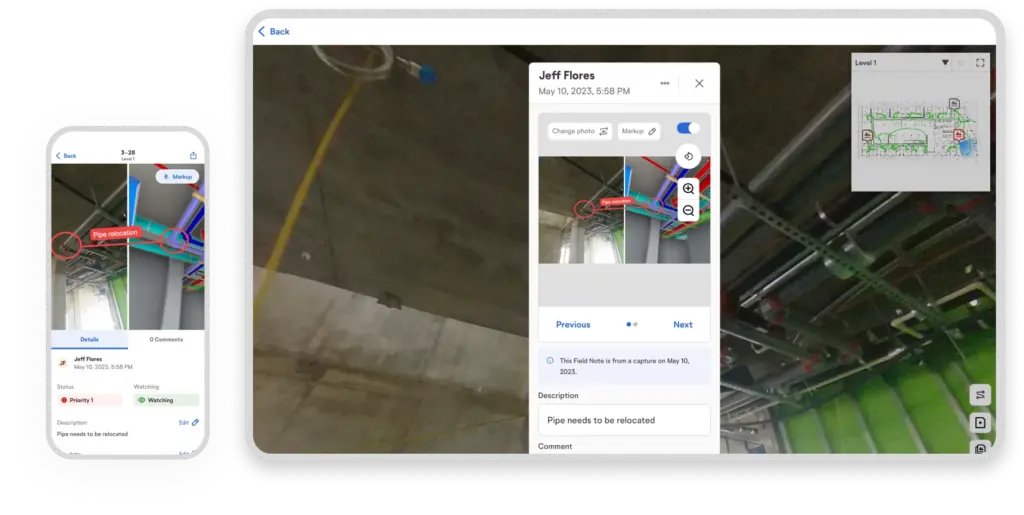
Capture, collaborate, and view BIM on the go
Reality capture with the OpenSpace app
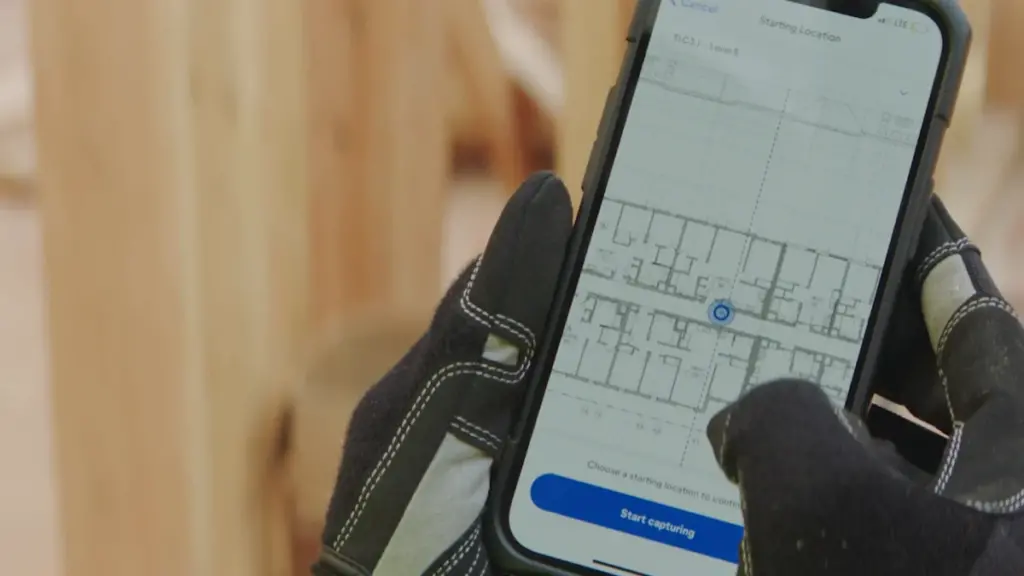
No need to set aside significant time or learn special skills to document your jobsite. With our app’s QuickConnect feature, sync your 360° camera to your smartphone or tablet in a snap. Then tap start in the app, and walk your site like usual. Our AI automatically records your 360° video capture and maps it to your floor plan, ready to view in 15 minutes on average—that’s fast! You can even capture without an internet connection. Plus, take 360° photo stills anytime when not capturing and pin them to your plan.
Smart collaboration with the OpenSpace app
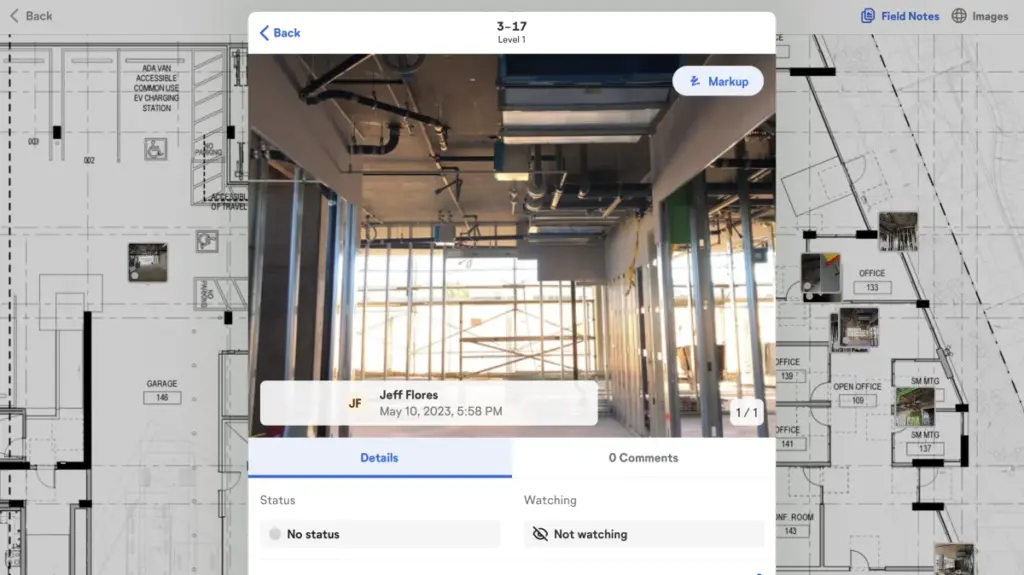
See something that needs attention on the jobsite? Get the ball rolling to resolve the issue with Field Notes. If you’re capturing, tap the Field Notes button in the app, take a photo, and add all relevant information. (Your capture won’t be interrupted!) OpenSpace timestamps and pins these notes to your floor plan. Or, create a Field Note any other time you’re on-site: select the location on your plan, take a photo, and create your note. You can also update existing Field Notes on mobile. Learn more about using Field Notes to gather and share information.
Easy BIM model access with the OpenSpace app
Navigate and compare site conditions to your fully aligned model with BIM Compare on mobile. Turn layers on and off and snap measurements. Also, use Sheet Overlay to view your sheet drawing overlayed on the aligned floor of your model—helping you better connect 2D drawings you look at daily to the 3D information in your model. BIM coordination in the field is even more efficient with the tools available in OpenSpace BIM+: use the app to view your choice of uploaded multiple models, pull up a Saved View to easily get to a saved visibility state of a model, access the BIM viewer while offline, and more.

Interested in learning more?
“Everyone in the field totally relies on OpenSpace. It always has our backs.”
Efficiency in the field with your mobile device
Our mobile app keeps pace with builders in the field. Wherever you are, stay on top of your project with fast and complete documentation and easy access to your capture data. Answer questions, eliminate confusion, and stay on track.
Navigate a digital replica of your as-built through time
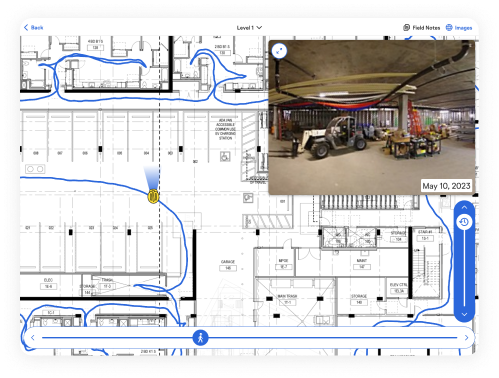
Navigation in our app is easy and fast. Get to your images by sheets or captures, and use the time slider to jump to different points in time. Fly through the capture path with the location slider or drag and pan across the floorplan to quickly get to what you want to view. Navigate captures as easily as Google Street View with the 360° pano viewer. Use Reveal Mode on your device to overlay a previous capture in real time to what’s in front of you—then use the slider to reveal items that are covered up or built over.
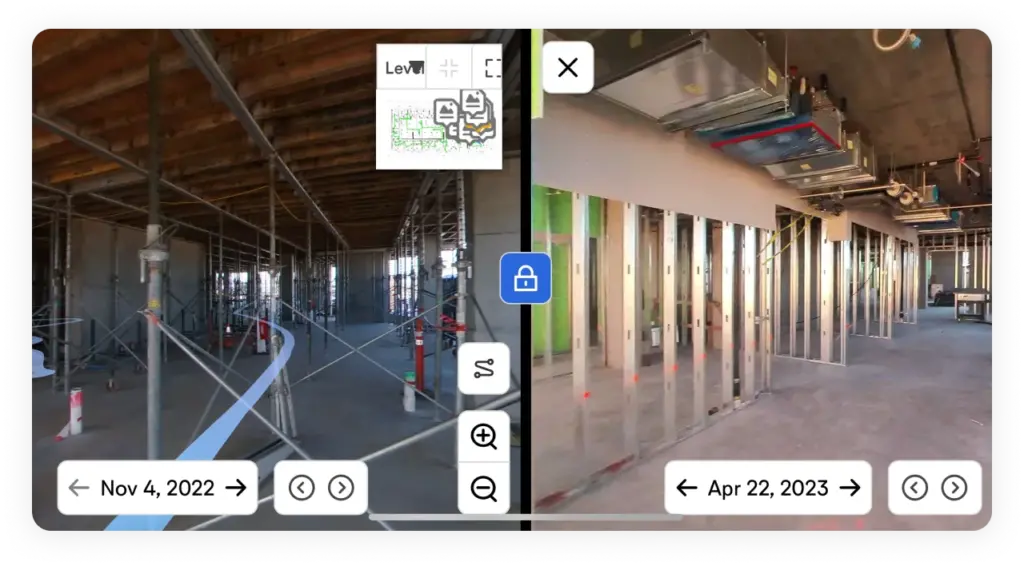
Compare two points in time
Destructive investigations (plus resulting patch backs and reinstallations) cost time and money. So if a concern or dispute arises about where or when something was installed, use Split View on your device to compare a location from two different dates side by side to easily answer the question.
Take and share measurable three-dimensional scans
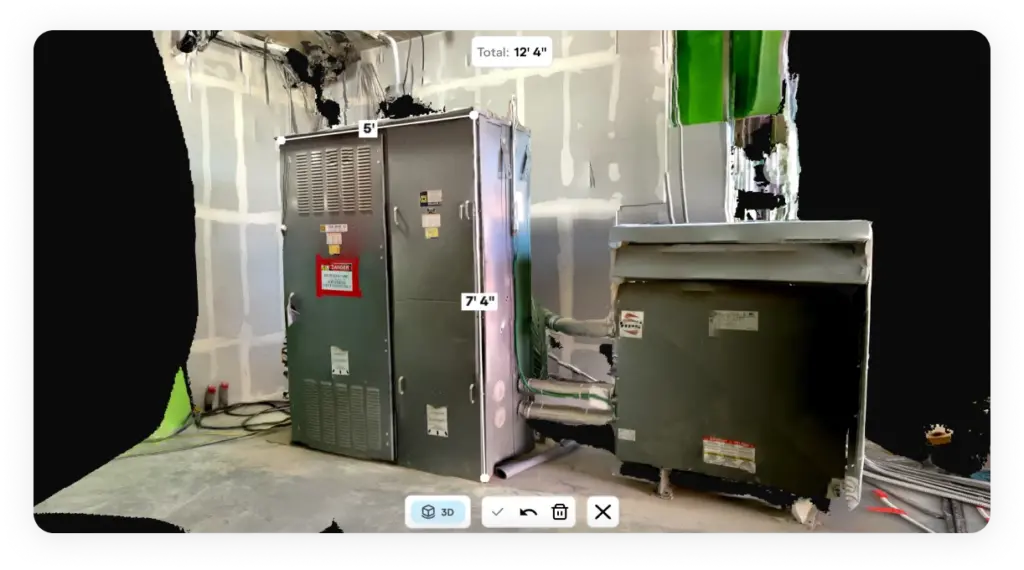
With 3D Scan, use your LiDAR-enabled iPhone or iPad to get an accurate three-dimensional scan with two inch measurement accuracy. Open the mobile app and start scanning—within minutes team members can access your scan to take measurements and answer questions such as the feasibility of material or equipment installation. (If you use terrestrial laser scanners, you can import that point cloud data into OpenSpace with OpenSpace BIM+, after which you can view the data on your device.)
Powering OpenSpace on mobile—it’s all in our reality capture app
Capture
iOS and Android
We work on your platform—the OpenSpace mobile app is available for iOs and Android.
QuickConnect
With our sleek wizard, quickly sync your 360° camera to your smartphone or tablet.
Capture Coverage Heatmap
View previously captured areas to help plan your next capture path.
360° video and photos
Document with 360° video, 360° photo stills, plus mobile phone stills to enrich Field Notes.
3D Scan
Use a Pro iOS device to get a three-dimensional scan with two-inch measurement accuracy.
Background uploads
No internet? Our app handles capture uploads in the background—uploading starts when a connection is found.
Analyze
360° pano viewer
Navigate your captures on mobile to see how your project looks today or looked in the past.
Sheet and capture views
Navigate images easily through sheets and captures.
Time slider
Jump to a point in time on your sheets or captures to find what you need.
Split View
Compare any captured area from two different dates side by side.
Reveal Mode
Use a slider to reveal how the area in front of you on-site looked on a date in the past.
BIM Compare
Compare site conditions to your model and view sheet drawings overlayed on your model.
Saved Views*
Use a pull-down to view a saved visibility state of a model.
View multiple models*
Choose the model you want to view, related to the work you’re doing.
BIM Element Overlay*
Overlay items from your model on the image side for planning and QC.
Offline BIM viewing*
Keep working even without an internet connection with offline BIM viewing.
Coordinate
Field Notes
Create and update Field Notes on-site. Easily find Field Notes related to you and run reports.
BIM Compare Field Notes*
Call out a discrepancy of on-site conditions with the image and model.
Add users
Org and site admins can add users directly in the app.
*Available in OpenSpace BIM+